
Smart Home and Home Network Installation in Syracuse and Central New York
Built on UniFi and installed by an IT company, not an AV boutique and not an alarm dealer. The network comes first, because every camera, doorbell, lock and thermostat in the house is a device on it.
Express IT Solutions installs and supports smart home systems in Syracuse and Central New York. The work starts with the network: UniFi access points, wired backhaul, and a separate IoT network so cameras, locks, and thermostats do not sit on the same network as family computers. Cameras, doorbells, locks, lighting, and thermostats are then installed, configured, and supported. Express IT Solutions is a Central New York managed IT firm operating since 2005 at 511 East Genesee St, Suite 8A, Fayetteville. The first step is a free site survey.
What does a smart home installation in Syracuse actually include?
A smart home installation covers four layers. First the network: access points, wired backhaul where possible, and a router that can separate traffic. Second the devices: cameras, video doorbells, smart locks, lighting, and thermostats. Third the setup: naming, grouping, app access, and automations that run on a schedule or a sensor. Fourth, support, so the system still works next year. Express IT Solutions scopes all four during a free site survey.
Home automation connects a property's lighting, climate, locks, cameras, and entertainment so they can be controlled remotely and triggered automatically by schedules, sensors, or voice.
The network
Access points placed for the floor plan, wired backhaul where a cable can be run, and a gateway that can separate traffic into its own networks. Everything above this layer depends on it.
The devices
Cameras, video doorbells, smart locks, lighting, and thermostats, chosen for the house and the wiring that is actually there, not for a catalogue page.
The setup
Naming, grouping, app access for the people who live there, and automations that run on a schedule or a sensor instead of on somebody remembering.
The support
One local firm that answers the phone in year two. Express IT Solutions already runs a support desk, so a system that stopped working is the core product rather than an exception.
What we actually install, by the four systems it is built from
UniFi is four applications running on one console in your house. Network is the part everything else depends on. Protect is cameras. Access is doors. Talk is phones. We install all four, and below is what each one is, what you get from it, and the part nobody tells you until the truck is already in the driveway.
Network: the gateway, the switch, and the Wi-Fi
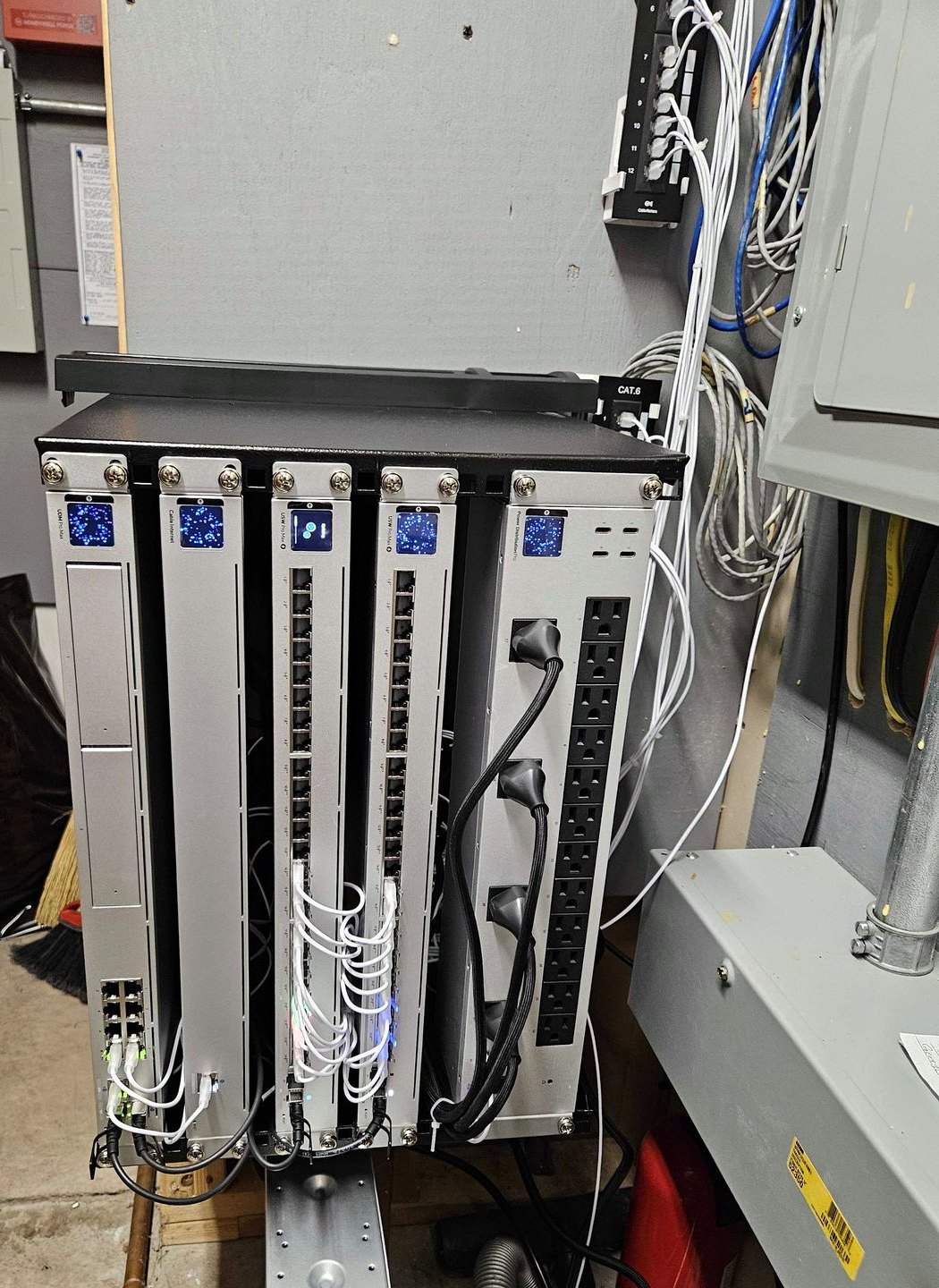
One box at the front of the house does the routing and the firewall for everything, and it also runs the camera and door software. Behind it sits one switch, and that switch is the spine of the property: a single Ethernet cable out of it carries both the data and the electricity for every access point, camera, door reader and sensor hub in the building. The Wi-Fi comes from access points placed for your floor plan instead of from one router in the corner of the basement.
Coverage in the rooms where you actually use devices, including the ones a single router never reached. Separate networks, so the cameras and the doorbell and the thermostat sit apart from the laptop with your tax returns on it.
A router that reads the traffic going in and out and compares it against a list of known attack patterns, at layers 3, 4 and 7, with the categories chosen individually and set per network, in notify mode or notify and block mode (Ubiquiti, help.ui.com). Remote access to your own system with no port left open on your house, through a zero configuration VPN built on WireGuard that is invitation based and works even when both the gateway and your phone are behind NAT (Ubiquiti, help.ui.com). And the control plane stays in the building: Ubiquiti states that even if cloud connectivity or the internet is unavailable, sites remain fully manageable through direct local access (Ubiquiti, help.ui.com).
A switch's published PoE budget is not a fixed number. It is a function of what you plug into the switch itself. Ubiquiti publishes this plainly for the Ultra 210W: fed from its 210W adapter it delivers 202W, fed from a 60W adapter it delivers 52W, fed from a PoE++ input it delivers 42W, and fed from a PoE+ input it delivers 16W (Ubiquiti, techspecs.ui.com). Fifty two watts will not run a doorbell, three cameras and a door reader. This is the single most common way a homeowner ends up with a system that works on the day of the install and starts dropping devices in month two, and it is invisible unless somebody adds up the wattage before the parts are ordered. We add it up during the survey.
The in-wall access points turn an existing Ethernet drop at a wall plate into an access point plus a small PoE switch in one device, and the U7 In-Wall carries a 2.5 GbE PoE switch inside it (Ubiquiti, ui.com/wifi). In a Fayetteville colonial with plaster walls and one dead cable run behind a bedroom outlet, that one design choice does more than any amount of mesh marketing.
The Cloud Gateway Max is a gateway, not a router with Wi-Fi in it. Ubiquiti lists it with five 2.5 GbE ports, 2.3 Gbps of network traffic threat inspection throughput, which is the IDS and IPS figure defined in the glossary below, and no integrated Wi-Fi at all (Ubiquiti, techspecs.ui.com). People buy one expecting wireless and get none. Access points are a separate line on the plan.
Protect: cameras, the video doorbell, and the recorder in your basement
Cameras on one Ethernet cable each, a video doorbell at the front door, and a recorder in your house that keeps the footage. There is no cloud in the middle. Ubiquiti states that all video recordings are stored locally on your UniFi OS Console, that there is no cloud backup of your video by default, and, about itself, that it cannot view, store or access your video streams at any point (Ubiquiti, help.ui.com).
Real cameras rather than webcam class hardware. The G6 Bullet and G6 Turret both record 8MP at 3840 by 2160 up to 30 frames per second on a 1/1.8 inch sensor, with infrared to 30 m, which is 98 feet, sealed to IP66, drawing under 13W over one Ethernet cable (Ubiquiti, G6 Bullet and G6 Turret).
Detection of people, vehicles and animals that runs on the camera itself, with face recognition and license plate recognition built in on the G6 and AI series, excluding the 360 models, and Ubiquiti states that this processing takes place entirely on premises so video never needs to be sent to the cloud for analysis (Ubiquiti, help.ui.com). Recording modes you choose per camera, always on or on detections only, with schedules and a buffer before and after each event (Ubiquiti, help.ui.com). And no fee to keep or watch any of it: Ubiquiti publishes that licensing is $0 whether you run 4 cameras or 4,000 (Ubiquiti, ui.com).
The doorbell is where self installs go wrong, and it is a wiring problem, not a software problem. Ubiquiti's own setup guide requires a transformer rated 16V to 24V AC, 20VA or greater, at 50/60 Hz, and requires the transformer output rating to match the chime's. Two doorbells on one transformer, or two internal relay chimes, need 30VA or higher. And this, verbatim from Ubiquiti: setting the Internal Relay Chime option to Mechanical or Digital when the doorbell is not actually wired to an internal relay chime may cause permanent damage to the device (Ubiquiti, help.ui.com). Most houses in this area have a transformer that predates the doorbell it is being asked to run, and nobody looks at it until the new doorbell browns out at night. We look at it during the survey, before anything is ordered.
Two things follow from that, and both are honest boundaries. If the transformer is undersized, replacing it is line voltage work and a licensed electrician does it, not us. And there is a way around the problem entirely: the G4 Doorbell Pro can take power over Ethernet through Ubiquiti's separate PoE adapter accessory instead of from the chime circuit (Ubiquiti, techspecs.ui.com). On a house with no usable transformer, that path skips the electrician, which is usually the cheaper answer and always the faster one.
Ubiquiti publishes how many cameras each console will actually carry, and the numbers are lower than people assume. A Dream Router 7 supports one 4K camera. Not four. One. A Cloud Gateway Max supports five 4K cameras or eight at 2K. A UDM-Pro supports eight at 4K. Ubiquiti set these limits specifically so a system does not miss recordings (Ubiquiti, help.ui.com). It is the most useful table in the whole ecosystem and the one most often ignored, and getting it wrong is how a homeowner discovers, on the one day it mattered, that the clip is not there.
Access: door readers, locks and the intercom at the front door
A wired door control system. A hub inside the house does the thinking and drives the lock. A reader outside is what you present a card, a phone, a face or a code to. The lock is a real lock, a magnetic plate or an electric strike, wired back to the hub. Optionally a screen inside the house answers the door instead of your phone. This is commercial grade door hardware installed in a residence, and it behaves like it.
Nine ways to open a door, all logged: an NFC card or fob, a button in a phone app, a tap of the phone against the reader, your face, Apple Wallet or Google Wallet, a PIN, a one time QR code for a visitor, a hand wave for exiting, and license plate recognition for a driveway gate paired with a camera (Ubiquiti, help.ui.com). Two step authentication if you want it, where a user presents any two enabled methods inside a 10, 20 or 30 second window. Every UniFi Access reader is UL 294 compliant and outdoor rated (Ubiquiti, help.ui.com).
And because the doors and the cameras run on the same console, pairing them means every unlock event carries its own video in the log (Ubiquiti, help.ui.com). That is the part that actually changes a household: not that the door is locked, but that at 3:40 the side door opened, here is the card that opened it and here is the footage.
Electric strike locks do not operate under preload. Ubiquiti states it plainly (Ubiquiti, help.ui.com), and it is the single most common cause of a door that will not release. A door under tension, from a weatherstrip that is too proud, a slab that has swollen through a Central New York August, a closer set too tight, or a house that has settled, puts pressure on the latch, and the strike cannot move against that pressure. The system reports a successful unlock. The door still will not open. The fix is carpentry and adjustment, not configuration, and it is the reason we check how a door actually sits and swings before we pick the lock for it.
First, distance is a hard ceiling: the total run from the switch to the hub plus the hub to the reader cannot exceed 100 meters, and Ubiquiti recommends 18 AWG for the lock wiring, giving the concrete example that a 12V lock with an 8V to 15V operating range can be made inoperable by excessive cable length (Ubiquiti, help.ui.com). Voltage drop is not theoretical in a house with a detached garage.
Second, a reader will adopt onto a plain PoE switch instead of a hub, and in that configuration door unlocking simply does not work; what you keep is card registration, live video and doorbell calls (Ubiquiti, help.ui.com). Newly purchased Intercom and Reader Pro units also have to be plugged directly into a hub's PoE port for their first adoption and firmware update before they can be moved.
Third, fail safe versus fail secure is a decision per door, not a default: fail safe unlocks when power is lost, which is what you want on a main entry for getting out, and fail secure stays locked, which is what you want on a room you are keeping people out of.
Access control is not an alarm. It controls a door, and it logs who opened it and when. It does not call anybody, and neither do we. We do not sell or install alarm systems, monitored response, or fire and life safety equipment. And one thing that does not exist, so nobody expects it: there is no UniFi smart deadbolt. This is hubs, relays, strikes and magnetic locks with wire pulled to them. It is good precisely because it is wired, and it is also not a battery lock you screw on over a weekend.
- 100 meters
The total run from the switch to the hub plus the hub to the reader cannot exceed 100 meters.
- 18 AWG
Ubiquiti recommends 18 AWG for the lock wiring, giving the concrete example that a 12V lock with an 8V to 15V operating range can be made inoperable by excessive cable length.
- 48 inches
Readers with a camera in them go at 48 inches, which is the height Ubiquiti states captures the faces of people up to 6 feet tall including wheelchair users.
Ubiquiti, help.ui.com
Talk: a real phone system, mostly for the people working from home
Desk and wall phones that run on the same console as everything else, so the house has actual extensions. It is a business product living in a residence, and it earns its place in exactly two situations: somebody runs a business or a serious home office out of the house, or the property is big enough that an intercom between the barn, the shop and the kitchen is a real thing people want.
Extension to extension calling inside the house costs nothing. Ubiquiti states that local extension calling is free and does not require a UniFi Talk subscription (Ubiquiti, help.ui.com). If you want outside lines from Ubiquiti, that is a subscription, and these are Ubiquiti's published prices and not ours: in the United States, a Plus plan at $9.99 per month per number with 3,000 monthly minutes, and a Pro plan at $24.99 per month per number with unlimited voice (Ubiquiti, ui.com).
You do not have to use it. The phones can be pointed at a third party SIP or PBX provider instead, and Ubiquiti names Zoom, 3CX, RingCentral and Asterisk as compatible platforms. If your employer already gives you a phone system, that is the one the phone should register to, and we will do that.
Porting your existing number in is free, but the ported number will not activate until a subscription is purchased for that number, and an existing subscription does not carry over to it (Ubiquiti, help.ui.com). People assume a port is a move. It is a move plus a purchase, and the gap between the two is the window where the number is not answering. We schedule ports so that window lands on a Tuesday morning and not on the Friday somebody is expecting a call from a customer. Also worth knowing: the subscription service is only offered in the United States, the United Kingdom and Canada, so it is not a solution for a household with a number in any other country.
A UniFi Talk phone can register NFC access cards. Ubiquiti lists a Talk phone alongside a reader and the Access mobile app as a place you can hold a card to enroll it (Ubiquiti, help.ui.com). If there is a phone in the kitchen, that is where you add the dog walker's card in ten seconds without walking out to the door reader in the rain. This is the sort of thing that only shows up when the four systems are installed by one company that runs all four.
Why does smart home installation start with the Wi-Fi network?
Every smart device is a network client. A camera that drops off Wi-Fi stops recording, a lock that cannot reach the app stops unlocking remotely, and a thermostat on a weak signal falls back to manual. Consumer routers with one radio in one corner of the house create dead spots that look like device failures. Fixing coverage first, with access points placed for the floor plan, removes most of the problems people blame on the devices.
Whole home Wi-Fi is a single wireless network delivered by several access points placed around the house instead of one router, so coverage is even and a device keeps its connection while moving from room to room.
- Dead spots
Consumer routers with one radio in one corner of the house create dead spots that look like device failures.
- Coverage
Coverage in the rooms where you actually use devices, including the ones a single router never reached.
- Access points
The Wi-Fi comes from access points placed for your floor plan instead of from one router in the corner of the basement.
- Wired backhaul
One Ethernet cable carries both the data and the power to an access point, a camera, a door reader or a sensor gateway, which is what makes a single switch the spine of the house.
-
The camera keeps going offline
Almost always a signal problem at the camera, not a fault in the camera. A device on a weak signal fails intermittently, which is the hardest kind of failure to diagnose and the easiest to blame on the hardware.
-
The doorbell lags, or the chime is late
A doorbell at the far end of the house is the device furthest from the router in most Central New York homes, and the front wall is usually the thickest one in the building.
-
It works upstairs but not in the basement
Poured concrete and a steel beam are not something a bigger router solves. Coverage down there has to be planned from the basement out.
-
The plaster house that swallows a signal
Plaster over metal lath is common around Syracuse and Cazenovia, and it is the most frequent reason one router does not cover a house. That is a placement problem, not a hardware problem.
Do I need an IT company, an AV integrator, or an alarm dealer for a smart home?
They solve different problems. An AV integrator designs theaters, whole house audio, and pre construction wiring, and is the right call for that work. An alarm dealer sells monitored intrusion detection, usually on a monitoring contract. An IT company owns the network, the segmentation, the firmware discipline, and the support that keeps everything reachable. Express IT Solutions is the IT company. For theater design or central station monitoring, hire the specialist.
Four ways to get a smart home installed in Central New York, compared on structure rather than on price. No company other than Express IT Solutions is named in a cell, so nothing here can become a claim about a specific firm.
| IT and network company (Express IT Solutions) | AV integrator | Alarm dealer | DIY | |
|---|---|---|---|---|
| Who owns the network | The IT firm. The network is the core trade, and it is designed, segmented, and documented before devices go in | Designs around the network and often installs one, but networking is not the core trade | The alarm panel and its communication path. The home network is not their scope | The homeowner |
| What happens when it breaks | The same firm that built it takes the call, remote first, onsite when needed. Ongoing support is the existing business model | Depends on the integrator's service agreement | Alarm faults are covered by the monitoring agreement. Other devices vary | The homeowner troubleshoots, plus each device maker's support |
| Ongoing subscription | No platform licensing fee on a UniFi build. Ubiquiti states UniFi Protect licensing is $0 with no hidden or recurring fees. Any support agreement is separate and optionalSource: Ubiquiti, ui.com/camera-security/software | Varies by control platform. Some platforms require dealer service plans | Monthly monitoring, commonly on a multi year agreement | Per device cloud plans are common, especially for camera video history |
| Where video is stored, and who can view it | Local. Ubiquiti states all security footage remains local to your UniFi ConsoleSource: Ubiquiti, ui.com/camera-security/software | Depends on the camera brand selected | Typically the provider's cloud, under the monitoring agreement | Typically the device maker's cloud |
| Where it is strongest | Coverage, segmentation, security, and long term support | Theater design, whole house audio, pre construction wiring, room by room aesthetics | 24/7 monitored response and central station dispatch | Lowest hardware outlay, full control, simple single room setups |
| Where it is weakest | Not the right call for theater acoustics or a central station monitoring contract | The network and cybersecurity layer is rarely the specialty | The home network and non alarm devices sit outside scope | Coverage design, segmentation, firmware discipline, and nobody to call |
Scroll the table sideways to see every column.
Why an IT company, and not an AV shop or an alarm dealer
Start with what these things are. A camera is a computer on your network that holds an open connection to a recorder and writes to it continuously. A video doorbell is a computer on your network. A door reader talks to its hub over Ethernet, and the hub talks to the console over Ethernet. The sensor hub is a computer on your network. The console that runs the cameras, the doors and the phones is a server sitting in your basement, with an operating system and firmware and a storage array in it. Every one of these devices gets its address, its power and its path to the recorder from the same switch and the same gateway. So when the camera drops out at night, when the doorbell rings four seconds after somebody has walked away, when the lock stops answering the app, the fault is almost never in the device that appears to have failed. It is a power budget, a saturated link, an address that changed, a wireless client sitting at the edge of coverage, or a firewall rule. Those are network problems with network diagnostics and network fixes.
Now the trades. An AV integrator designs theaters, distributes audio through a house, pre wires new construction and programs control systems, and that is demanding work done by people who are genuinely good at it. An alarm dealer installs and services licensed low voltage security equipment and sells a monitored response through a central station, which is a real service that we do not offer and will tell you to go buy elsewhere. Neither of those trades trains on routing, network segmentation, firewall policy, wireless design or endpoint security, because neither of them needs to. That is not a criticism of either one. It is a description of where the boundaries of three different trades actually sit, and the boundary matters because the layer every smart home device depends on falls inside ours and outside theirs.
There is a second reason, and in Fayetteville, Manlius and Cazenovia it may be the bigger one. The house is a workplace now. There is an employer issued laptop in the spare bedroom, a VPN into somebody's corporate network, school devices, and often a business run out of the house. The moment ten inexpensive connected devices land on that same flat network, the homeowner has created a problem that is simultaneously a home problem and a work problem, and answering whether these cameras will cause a problem with a company's security policy requires somebody who works on both sides of it. We have been running networks and security for Central New York homes and businesses since 2005. Putting your cameras and your work laptop on separate networks with a rule set between them is not a special project for us. It is a Tuesday.
How do you keep smart home cameras and devices from becoming a security risk?
By keeping them off the network your computers use. Ubiquiti's zone based firewall groups networks into LAN, WAN, Guest, and IoT zones, so smart devices can be placed in their own zone with rules controlling what they can reach. Add unique passwords instead of factory defaults, firmware updates on a schedule, and remote access through the vendor's own encrypted path rather than an open port forward. That combination is standard practice for a managed IT firm.
The zone based firewall statement is Ubiquiti's own, published at ui.com/cloud-gateways. Segmentation reduces what a compromised device can reach. It does not make anything unhackable, and no honest firm will tell you otherwise.
Network segmentation is the practice of splitting one home network into separate networks so that devices in one group cannot reach devices in another. In a smart home it means cameras, locks, and thermostats sit on their own network, apart from the computers and phones that hold personal files.
The family devices: laptops, phones, tablets, the TV and the printer. This is the network that holds the photos and the tax returns, and it is the one everything else is kept away from.
The employer laptop and the corporate VPN. If you work from a Fayetteville or Manlius home office, your employer has a security policy, and putting a cheap plug on the same flat network as that laptop is how a home problem becomes a work problem.
The cameras, the doorbell, the thermostat, the locks and everything cheap. They get what they need to work and nothing else. This is the zone that does not exist in most houses.
The nine point smart home network checklist
These are the nine items Express IT Solutions checks during a free site survey, in the order they are checked.
-
Wi-Fi coverage in every room where a device will live
Check: signal strength in each room, including the garage, basement, and any outbuilding.
Why: a device on a weak signal fails intermittently, which is the hardest kind of failure to diagnose.
Good looks like: usable signal at every planned device location, measured, not guessed.
-
Wired backhaul to each access point
Check: whether cable can reach each access point location, and what it would take to run it.
Why: a wired access point performs better than one relying on a wireless link.
Good looks like: wired where practical. Ubiquiti states UniFi access points support wireless meshing to one another so dead zones can be eliminated without running additional cabling, so wireless is a valid fallback where a run is not practical. ui.com/wifi
-
A separate network for smart devices
Check: whether the router can create separate networks and apply rules between them.
Why: a compromised camera or plug should not be able to reach the computer with the tax returns on it.
Good looks like: smart devices in their own zone. Ubiquiti's zone based firewall groups networks into LAN, WAN, Guest, and IoT zones. ui.com/cloud-gateways
-
Factory default credentials removed
Check: every device's admin login and every account tied to it.
Why: default credentials are the most common way an internet exposed device gets taken over.
Good looks like: unique credentials on every device and every account, stored somewhere the homeowner can actually retrieve them.
-
A firmware update plan
Check: which devices update themselves, which need a person, and how often.
Why: firmware fixes are how device makers close known holes, and unpatched devices stay open.
Good looks like: automatic where the vendor supports it, scheduled where it does not.
-
Where video is stored
Check: whether recordings go to local storage or to a vendor's cloud, and how long they are kept.
Why: storage location determines who can see the footage and whether a monthly fee applies.
Good looks like: a deliberate choice the homeowner made. Ubiquiti states all security footage remains local to your UniFi Console. ui.com/camera-security/software
-
How remote access works
Check: the method used to reach the system from outside the house.
Why: an open port forwarded to a camera is a standing invitation, and it is still a common shortcut.
Good looks like: the vendor's own encrypted remote access, with no manual port forwarding to any device.
-
What happens during a power or internet outage
Check: which devices keep working locally, which stop, and what is on battery backup.
Why: a lock or a camera that only works with internet is a problem discovered at the worst time.
Good looks like: the essentials run locally, and the network gear the essentials depend on is on battery backup.
-
Who you call when it stops working
Check: who is responsible for the system twelve months after installation.
Why: this is the single most common smart home complaint, and it is a support question, not a product question.
Good looks like: one named local firm with a phone number a person answers. Express IT Solutions is at (315) 682-6372.
What a job actually looks like, start to finish
Six stages. Most of the value is in the first one and the last one, and most of the labor is in the middle. None of it is glamorous, and all of it is the part that decides whether the system still works in three years.
-
The site survey
We come to the house. It takes a couple of hours in a normal home and longer in a big one, and it is free and it commits you to nothing.
We walk it room by room with the floor plan and note where a device is actually wanted, which is almost never where a catalog would put one. We measure signal in each of those rooms rather than guessing, including the garage, the basement and any outbuilding, because a device sitting on a weak signal fails intermittently and intermittent failure is the hardest kind to diagnose later. We find where the internet enters the building and what the connection actually is. We look at what is already in the walls, because a lot of Central New York housing stock has one generation of cable in it already and some of it is usable. We look at the panel and the existing doorbell transformer. We look at whether the attic is walkable in August and whether the basement is finished, because those two facts change what a cable run costs in hours more than anything else. We look at the doors: how they sit, how they swing, whether they are wood or metal or glass, because that decides the lock. And we list what smart devices you already own, what carries over, and what is worth replacing and why. Nothing is replaced to make a sale.
You get a written scope out of it. No charge, no obligation, and no pressure in the room.
-
What gets decided before anyone drills anything
This is the stage that separates a system that works from one that mostly works. Nine decisions get made and written down.
Where the equipment lives. Somewhere with airflow, somewhere a person can reach, and not on the floor of a basement that takes water. This is a real decision and it gets made once.
Which console. Sized against the camera count, not against a price. Ubiquiti publishes what each console will carry and we plan to that table, because the failure mode of getting it wrong is missing recordings rather than a slow menu (Ubiquiti, help.ui.com).
How much storage, and how long you keep footage. Retention is arithmetic, and it is done against usable capacity rather than the number on the box. Ubiquiti's basic protection leaves 67 to 75 percent of raw capacity usable, and the better performing option leaves 50 percent (Ubiquiti, help.ui.com). Drives have to be 1 TB or larger CMR at 7200 RPM, and Ubiquiti warns against 5400 RPM drives in multi bay consoles (Ubiquiti, help.ui.com). We tell you the honest number of days before we order anything, not after.
The PoE budget. Every powered device on the plan gets its wattage added up against what the switch will actually deliver given how the switch itself is fed. This one line prevents the most common month two failure.
Which runs are worth pulling, and which rooms get a wireless link instead. Ubiquiti states that access points can mesh wirelessly to one another so dead zones are eliminated without running additional cabling (Ubiquiti, ui.com/wifi), and that is a genuine option, not a consolation prize. But wired is better where wired is possible, and the survey says which is which in your house rather than in general.
How many networks, and what each one can reach. Typically three: the family devices, the work laptop and its corporate VPN, and everything cheap. Ubiquiti's zone based firewall groups networks into LAN, WAN, Guest and IoT zones so the rules are written once for a zone instead of device by device (Ubiquiti, ui.com/cloud-gateways).
Camera placement and what each camera is for. A camera is not a decoration and it is not a deterrent poster. Each one gets a job written next to it: the driveway approach, the side door, the package landing spot. Mounting height and angle follow from the job. A camera mounted where it looks tidy and points at a roofline is a camera nobody ever gets anything useful out of.
Fail safe or fail secure, per door. Decided deliberately, one door at a time, and written down.
What happens when things fail. Which devices keep working with the internet down, which stop, and what sits on battery backup. Ubiquiti's Mission Critical switch is a PoE switch with a 368Wh battery inside it and two AC outlets on the back, which is enough to hold up the modem and the gateway along with the powered devices (Ubiquiti, help.ui.com). Whether a house needs that is a conversation, not an assumption.
-
Wiring day
This is the unglamorous part and it is most of the physical work.
Cable gets pulled. That means a fish tape, a drill, holes in top plates, an attic that is 130 degrees in July and full of blown insulation in every month, and a crawlspace nobody has been in since the house was built. It means going around a plaster and lath wall rather than through it, because plaster does not patch invisibly and anyone who tells you it does has not done it. It means asking before every penetration, and it means exterior holes get sealed properly on the way out, because a camera lead is a path for water and for mice and both of those cost more than the camera.
Every run gets terminated at both ends, labeled at both ends in a way a stranger could read, landed on a patch panel rather than a pile, and tested. Not that the light came on. Tested. A run that mostly works is a service call in eighteen months.
Cameras get mounted for the scene, not for the symmetry. That usually means lower than people expect and angled harder than people expect, because a face at 40 feet on a wide lens is not a face. The G6 Bullet and Turret give a horizontal field of view of about 110 degrees, which covers a lot of ground and does not magnify anything, so the camera has to be close to what it is meant to see (Ubiquiti, techspecs.ui.com).
Doors get their hub, reader and lock, with the lock wire in 18 AWG and the total run kept inside 100 meters. Readers with a camera in them go at 48 inches, which is the height Ubiquiti states captures the faces of people up to 6 feet tall including wheelchair users (Ubiquiti, help.ui.com).
If a job needs line voltage work, a licensed electrician does that part. We are an IT and network company and we say so on this page for a reason.
-
Configuration
The devices come up. Firmware goes on first, before anything is configured, because feature availability across this ecosystem is gated on specific application and firmware versions and configuring an out of date device is work you do twice.
Then, in order: every device named for where it physically is, so that a year from now Garage AP means the access point in the garage. The networks built and the rules between them written. The wireless networks created, with the guest network actually isolated instead of just differently named. Recording mode set per camera, always on where always on is worth the disk and detections only where it is not, with the pre and post event buffers set so a clip does not start at the moment of interest. Retention set against the arithmetic from stage two. Unlock methods enabled and credentials issued to the actual people, with the visitor QR code path explained to whoever manages the house. Access hubs paired to the cameras that watch those doors, so every unlock carries its footage.
Notifications get tuned, and this matters more than it sounds. A system that notifies on every motion event is a system whose notifications get switched off inside a week, and a notification nobody reads is worth nothing. We tune to the detections that mean something, and we tune again a couple of weeks in once you have lived with it.
Remote access gets set up through Ubiquiti's own encrypted path. No port forwarded to a camera. Ever. An open port to a camera is a standing invitation and it is still the most common shortcut in this industry.
Then we break it on purpose. Pull the internet and confirm the recording keeps running and the doors still open. Pull the power and confirm what comes back up, in what order, and how long it takes. You should find out what an outage looks like on the day we are standing there, not at 11pm in February.
-
Handover
You get the credentials. The local administrator account for your own console is yours, and it is written down somewhere you can find it. This is not a courtesy, it is the point: the system is standard networking hardware with a local admin account you hold, so any competent network technician can take it over. That is deliberately different from a platform where the programming tools live with the company that installed it.
You get a photograph of the labeled patch panel and a list of what is plugged where. You get an as built, which is the scope from stage one corrected to match what actually happened, because something always changes when a wall turns out to be a chase.
Then we sit down at the kitchen table for twenty minutes and show you four things, because these are the four things people actually need and nothing else sticks on day one: how to pull up a clip and export it, how to add a person and take a person away, what the notification you will get looks like and what it means, and what to do first when something goes offline.
And you get the honest list. What will need attention and roughly when. The drive is a consumable. The sensor batteries are rated up to six years, not forever (Ubiquiti, techspecs.ui.com). Firmware needs to keep moving. None of that is a surprise if somebody says it out loud in month zero.
-
What support looks like after
This is the part an AV project business and an alarm monitoring business are both structurally bad at, and it is the reason an IT company is a different animal. An integrator's revenue arrives when they install and stops when they leave. A monitoring company's recurring revenue is tied to a central station, not to whether your app works. For a managed IT firm, a system that stopped working is not an exception case. It is the core product, and there is already a desk that does it.
In practice that means: we look at it remotely first, because most of it can be fixed remotely and that is faster for everybody. Firmware gets kept current on a schedule rather than whenever somebody remembers, because unpatched devices stay open and because half this ecosystem's features are gated on versions. Storage gets watched, so a drive is replaced before it takes the recordings with it rather than after. And when it needs a person in the house, a person comes to the house, and it is a local phone number with a person on the end of it.
We have been doing exactly this kind of support work for Central New York homes and businesses since 2005. The smart home is a network with devices hanging off it, and the support model is the same one we already run.
What we install and support, and where every claim comes from
Ten capabilities, each one documented by the manufacturer, each one linked to the page Ubiquiti published it on. If a statement below changes on their site, the copy here changes the same day.
Whole home Wi-Fi and access point placement
Access points placed for the floor plan. Ubiquiti states all UniFi access points automatically form a mesh and broadcast the same Wi-Fi so devices keep working while roaming.
Ubiquiti, ui.com/wifiWired backhaul and PoE
One Ethernet cable carries both the data and the power to an access point, a camera, a door reader or a sensor gateway, which is what makes a single switch the spine of the house.
Ubiquiti, ui.com/switchingA separate network for smart devices
Ubiquiti's zone based firewall groups networks into LAN, WAN, Guest and IoT zones, so policy is set once for a zone instead of device by device.
Ubiquiti, ui.com/cloud-gatewaysGateway threat detection
Detection and prevention with deep packet inspection at layers 3, 4 and 7, with signature categories you select individually and per network.
Ubiquiti, help.ui.comRemote access with no port forward
Teleport is a zero configuration VPN built on WireGuard. It is invitation based, works when both the gateway and the phone are behind NAT, and needs no open port on the house.
Ubiquiti, help.ui.comCameras and the video doorbell, recorded at home
Ubiquiti states all video recordings are stored locally on your UniFi OS Console, that there is no cloud backup of your video by default, and that it cannot view, store or access your video streams at any point.
Ubiquiti, help.ui.comDetections that run on the camera
People, vehicle and animal detection on G6 and AI series cameras, with face recognition and licence plate recognition built in, excluding the 360 models. Ubiquiti states this processing takes place entirely on premises, so video never needs to be sent to the cloud for analysis.
Ubiquiti, help.ui.comWired door access
A hub, a reader and a lock, with nine unlock methods including NFC card, phone, face, Apple or Google Wallet, PIN, a visitor QR code and licence plate. Two step authentication is available.
Ubiquiti, help.ui.comEntry, motion and environmental sensors
Sensors reach the console over SuperLink, which Ubiquiti rates to 2 km line of sight, on CR123A batteries rated up to 6 years. The environmental unit reads temperature, humidity, ambient light and water.
Ubiquiti, help.ui.comStorage and retention planning
Recording is a continuous write workload and the drive is a consumable. Ubiquiti requires 1 TB or larger CMR drives at 7200 RPM, and warns against 5400 RPM drives in multi bay consoles. RAID 5 leaves 67 to 75 percent of the capacity usable, RAID 10 leaves 50 percent.
Ubiquiti, help.ui.com
Where UniFi ends, and what we do not do
Five limits, published on purpose. You would find every one of them out anyway, and it is cheaper for both of us if you find them out now.
UniFi is not a lighting or AV control system, and it does not replace Lutron or Control4
Ubiquiti's own documented path is to adopt a Lutron processor and put a front end on it. The lighting logic, the keypad engraving, the scene programming and the dimming curves all stay in Lutron. UniFi Connect's own automations are single actions with no conditional logic: Ubiquiti states that to schedule a device to turn on and off you must set up two separate automations. There is also no UniFi thermostat and no UniFi retrofit deadbolt in the lineup. If you want theater acoustics, whole house audio, or a programmed lighting scene engine, that is a custom AV firm's trade and you should hire one.
Ubiquiti, help.ui.com, Lutron integration and help.ui.com, Connect automations
There is no Ubiquiti documented Alexa, Google Home, HomeKit, Matter or Thread support for UniFi cameras, doors or sensors
The only Apple Home hook anywhere in the ecosystem is the PowerAmp audio device. If you want voice control or cross vendor logic across brands, that needs Home Assistant or a dedicated automation controller, connected to UniFi through its webhooks, its RTSPS output and its local APIs. Home Assistant's UniFi Protect integration is a Home Assistant project, not a Ubiquiti product, and we will never describe it as one. Whatever ecosystem is already in your house keeps working underneath, but we will not promise a specific integration until we have checked it.
Ubiquiti, help.ui.com, UniFi Play. Third party: home-assistant.io, UniFi Protect integration
Console size sets camera count, and storage is a consumable
A Dream Router 7 supports one 4K camera. A Cloud Gateway Max supports five. Ubiquiti sets those limits specifically so a system does not miss recordings. Drives are a consumable: Protect wants 1 TB or larger CMR drives at 7200 RPM, RAID 5 leaves 67 to 75 percent of the capacity usable and RAID 10 leaves 50 percent, and Ubiquiti's Enhanced Retention warns that footage downgraded to low quality cannot be restored to high quality. Sizing the console and the storage is part of the survey, and it is where an under specified system quietly fails.
Ubiquiti, help.ui.com, camera limits, storage requirements and retention
Local recording keeps running without internet. Remote viewing does not
Both halves of that sentence are true and both matter. The recorder is in your house, so it keeps recording when the internet drops. Remote viewing, app notifications and anything cloud dependent do not. Remote viewing also runs on WebRTC, which Ubiquiti's own troubleshooting guide says is broken by symmetric NAT on either side, by VPNs and private DNS, and by common browser extensions. The faster direct path needs a public IP with TCP 443 free of any port forward rule, which a carrier grade NAT connection does not give you. Local recording is also not a backup: if the house burns down or the recorder is stolen, the local copy goes with it, and the honest answer to that is an offsite copy and careful physical placement, not pretending the risk does not exist.
Ubiquiti, help.ui.com, camera connectivity and remote management
The work we send somewhere else
We are not an alarm company. We do not operate a central station, we do not dispatch anyone, and we do not do fire or life safety. Nobody at Express IT is watching your cameras, and we will tell you that before you buy rather than after. We are not electricians: line voltage work, new circuits, panel work and hardwired transformers go to a licensed electrician, and we bring one in. We do not design home theaters or tune acoustics, and we do not present ourselves as a new construction pre wire house. We hold no Ubiquiti, Control4, Lutron, Crestron or Elan program status of any kind, and this page makes no such claim. What we do is the network your smart home runs on, the devices on it, and the support afterwards.
Three reasons this might not be the right call for you
It is cheaper for both of us to find this out now.
-
You want somebody watching the house at two in the morning
Then this is not it, and we will say so before you buy rather than after. We do not operate a central station, we do not dispatch police or fire, and nobody at our office is watching your cameras. What you get from a locally recorded system is a recording and a notification on your own phone. If what you actually want is a monitored alarm with a human being who responds and dispatches, that is a monitoring company's product and it is a legitimate thing to want. Hire one for that. We will build the network under it and work alongside them, and we are not offended by the question.
-
You want one app that runs your lighting scenes, your shades, your audio and your voice assistant
UniFi is not a lighting or AV control system and it does not replace a dedicated control platform. Ubiquiti's own automation layer for connected devices is single action: to schedule a device to turn on and off at set times, Ubiquiti states you have to build two separate automations, one for each (Ubiquiti, help.ui.com). There is no scene engine and no conditional logic in it. There is also no Ubiquiti documented Alexa, Google Home, HomeKit, Matter or Thread integration for UniFi cameras, doors or sensors, so if telling a speaker to show you the front door is the reason you are buying, this is the wrong system. Dedicated lighting and control platforms exist and are programmed by AV integrators who do that for a living, and there are good ones locally. Hire them for that layer. We are glad to build the network underneath it and to be honest about which parts talk to which.
-
You want the cheapest thing available today, or a lock you can install in ten minutes
A recorder and real cameras cost more on day one than a doorbell off a shelf, and we do not pretend otherwise. The trade you are making is a higher cost up front against no recurring fee and ownership of your own footage, and whether that trade is worth it depends on how long you intend to live in the house. Two honest additions to that. Local recording is not a backup: if the house burns down or the recorder is stolen, the local copy goes with it, which is a genuine advantage cloud recording has and the reason we talk about offsite copies and where the recorder physically sits. And hard drives are a consumable that will need replacing. Separately: there is no UniFi retrofit deadbolt. Door access here means a hub, a reader, a wired lock and cable pulled to it, which is exactly why it is reliable and exactly why it is not a weekend project. If a battery deadbolt off a shelf is what you want, buy one, and we will put it on the network properly.
How much does smart home installation cost in Central New York?
Express IT Solutions does not publish prices, because a house with three access points and two cameras is a different job from a house with nine. For industry context only, Fixr lists wireless network installation at a $300 to $500 typical range, and Homewyse lists $265 to $644 per access point as of May 2026. Those are published third party figures, not an Express IT Solutions quote. The site survey is free.
Fixr, wireless computer network installation cost guide, page updated January 31, 2025. fixr.com. The page states a $350 average and a $300 to $500 typical range. A national aggregate across submitted jobs, not a Central New York sample.
Industry figure. Not an Express IT Solutions result.Homewyse, cost to install home networking, May 2026. homewyse.com. The page states $265 to $644 per access point. A modelled unit cost, not a quote for any specific house.
Industry figure. Not an Express IT Solutions result.Ranges here are published third party figures for market context. They are not an Express IT Solutions quote. What a job actually costs depends on the size of the house, how many access points the floor plan needs, whether cable can be run, how many cameras and doors are in scope, and what is already in the house and worth keeping. That is what the free site survey is for, and there is no obligation attached to it.
Can a smart home work without a monthly subscription?
Yes, for the parts that do not depend on a monitoring service. Ubiquiti states that UniFi Protect keeps all security footage local to the UniFi console and that licensing is $0 whether you run 4 cameras or 4,000, with no hidden or recurring fees. Door access runs on the same local console. Lighting and climate are not UniFi products, so those run on whatever platform we specify for them, and we say plainly which parts keep working without internet. Monitored central station alarm service is a separate subscription from a monitoring company, and Express IT Solutions will integrate one if you want it.
Ubiquiti's licensing and local storage statements are published at ui.com/camera-security/software. The $0 figure is Ubiquiti's published statement about its own product. It is not an Express IT Solutions price, and Express IT Solutions publishes none.
Every price in this table is the vendor's own published figure on the vendor's own page, linked in the cell, and correct as fetched on 13 August 2026. Prices change, so check the link. Express IT Solutions publishes no prices, and nothing in this table is an Express IT Solutions figure or implies one.
| System | Where the recordings live | The vendor's own published monthly figures | What happens when you stop paying |
|---|---|---|---|
| UniFi Protect, recorded locally | On a console or recorder in the house, on a drive the homeowner owns. Ubiquiti states footage remains local to your UniFi Console | Ubiquiti states licensing is $0 whether you run 4 cameras or 4,000, and answers its own question about fees with a flat noui.com/camera-security/software | There is no plan to stop paying. Remote viewing through UniFi Site Manager is described by Ubiquiti as a free, optional featureui.com/camera-security/software |
| Ring | Amazon's cloud. Plans list up to 180 days of video playback | Ring's own plans page lists Ring Solo at $4.99 per month or $49.99 per year for one device, Ring Multi at $9.99 per month or $99.99 per year for all devices at one location, and Ring Pro at $19.99 per month or $199.99 per yearring.com/plans | Ring's own page states that if you do not subscribe within your trial period or before your existing subscription expires, you will lose your stored video recordings and they will not be retrievablering.com/plans |
| SimpliSafe | SimpliSafe's cloud | SimpliSafe's own support page lists Unmonitored at no charge, Self Monitoring with Camera Recordings at $9.99 per month, Standard at $22.99, Core at $32.99, Pro at $49.99 and Pro Plus at $79.99 per monthsupport.simplisafe.com | SimpliSafe's own page states the Standard plan does not include camera recordings. There is no long term contract, which is a genuine point in their favour and we are not going to pretend otherwisesupport.simplisafe.com |
| Vivint | Vivint's cloud, tied to the service agreement | Vivint's own package page lists HomeProtect starting at $24.99 per month with a 3 year agreement and $199.99 up front, or $29.99 per month with no contract at $349.99 up front plus $199.99 for professional installationvivint.com | Vivint's own page states that all system purchases include required 24/7 monitoring, so there is no unmonitored mode to fall back tovivint.com |
Scroll the table sideways to see every column.
No subscription is not the same as no cost. A local recorder and cameras cost more on day one than a doorbell off a shelf, the hardware is yours to buy, hard drives fail and get replaced, and you still pay for internet. The trade is an up front cost against a recurring fee, plus ownership of the footage. Say the specific true thing, never free forever.
A technician walks the house before anyone quotes a box
It takes a couple of hours in a normal home and longer in a big one. We measure instead of guessing, and we leave you with a written scope. It costs nothing and it commits you to nothing.
If your Wi-Fi is genuinely fine, we will tell you that, and the visit will still have cost you nothing. If it is not, you will know exactly why, in writing, before anybody sells you anything.
- Walk the house room by room and note where a device is actually wanted, not where a catalogue puts one.
- Measure signal in each of those rooms, including the garage, the basement and any outbuilding.
- Find where the internet enters the building and what the connection actually is.
- Look at the existing wiring, the panel locations, and what can realistically be pulled through the walls in this house.
- List the devices already in place, what carries over, what is worth replacing, and why. Nothing is replaced to make a sale.
- Plan access point placement against the floor plan, and mark where a cable run is worth it and where meshing is the honest answer.
- Decide the separate networks: family, work, and everything else, and what each one is allowed to reach.
- Size the console and the storage against the camera count, because that is the constraint people get wrong.
- Write it up. You get a scope of what would be installed and where, and there is no charge and no obligation for any of it.
Which Central New York towns does Express IT Solutions cover for smart home work?
Express IT Solutions covers Syracuse, Fayetteville, Baldwinsville, Cazenovia, Chittenango, Lafayette, Jamesville, Liverpool, Manlius, Minoa, and Tully, plus the wider Central New York area. The office is at 511 East Genesee St, Suite 8A, Fayetteville, NY 13066, and the phone is (315) 682-6372. Technicians come to the house, walk the floor plan, and check the existing wiring and panel locations before anything is quoted. Booking is at expresssupport.com/free-site-survey.
Syracuse
Century old city houses with plaster over lath and a lot of interior masonry. Coverage here is a placement problem, not a hardware problem.
Fayetteville
Our own town. The office is on East Genesee St, so a Fayetteville survey is a short drive and the follow up visit is the easiest one on this list to schedule.
Baldwinsville
Larger lots, and more detached garages and outbuildings than the inner ring towns, which turns coverage into a cable question rather than a router question.
Cazenovia
Older housing stock around the village, much of it plaster over metal lath. That one construction detail is the most common reason a single router does not cover the house.
Chittenango
Longer driveways and more distance between the house and the garage, so the doorbell, the gate and the driveway camera are usually the first cable runs anyone talks about.
Lafayette
Rural properties and hilltop lots where the internet service itself varies. We work behind whatever service is already there, and the survey records what the connection actually is first.
Jamesville
Hilly ground, split levels and walkout basements, where the finished lower level is where the office ended up and where coverage was never planned for.
Liverpool
A mix of post war ranches and newer builds, and a lot of finished basements. Coverage down there gets planned from the basement out, not hoped for from upstairs.
Manlius
Professional households with a real home office and an employer issued laptop, which is exactly the case where the work network and the family network should not be one network.
Minoa
Smaller village lots where a neighbour's wireless sits in the same channels as yours. Channel planning and access point placement do more here than a bigger radio.
Tully
The furthest south of the towns we cover regularly, with real distance between buildings. Anything crossing a yard is a cable decision or a point to point decision, decided on the survey.
Product names and marks are the property of their respective owners. Listing them describes the systems Express IT Solutions administers and builds on. It does not imply a partnership, a certification, a dealer status or an endorsement, and Express IT Solutions claims none.
The eight words we use that nobody should have to look up
- PoE
- Short for Power over Ethernet. One network cable carries both the information and the electricity a device needs, which is why a camera under a soffit or a reader beside a door does not need an outlet next to it.
- VLAN
- A way of dividing one set of cables and switches into several completely separate networks, so that the devices on one of them cannot see or reach the devices on another even though they are sharing the same wire.
- NVR
- Short for network video recorder. The box in your house that your cameras send their video to and that keeps the recordings, which on a UniFi system is the same box that runs everything else.
- Mesh
- When wireless access points talk to each other over the air instead of each having its own cable back to the switch, which is how coverage reaches a spot where pulling a cable is not practical.
- Subnet
- The named group a device belongs to on your network, in the way a street name groups house numbers, and the thing that actually makes it true that these devices are together and those ones are separate.
- NAT
- The translation your router does so that everything in your house can share the single internet address your provider gave you, which is also the reason nothing out on the internet can reach into your house unless you deliberately let it.
- IDS and IPS
- Software running on your router that reads the traffic going in and out, compares it against a list of known attack patterns, and either warns you about a match or blocks it outright, depending on how it is set.
- RTSP
- The plain, long established way one camera hands its live picture to another piece of software, and the reason a camera in your house can show up in a program its manufacturer did not write.
What homeowners ask us first
Does Express IT Solutions install smart home systems in Syracuse?
Yes. Express IT Solutions installs and supports smart home and home network systems across Syracuse, Fayetteville, Baldwinsville, Cazenovia, Chittenango, Lafayette, Jamesville, Liverpool, Manlius, Minoa, Tully, and the wider Central New York area. The office is at 511 East Genesee St, Suite 8A, Fayetteville, NY 13066. Call (315) 682-6372 or book a free site survey at expresssupport.com/free-site-survey.
Do I need to change internet providers?
No. Express IT Solutions works behind whatever internet service is already at the house, whether that is cable, fiber, or fixed wireless. The provider delivers internet to the building. Everything inside the walls, the router, the access points, the wiring, and the devices, is the part Express IT Solutions designs, installs, and supports.
Will my existing smart devices still work?
Usually. Most cameras, thermostats, locks, plugs, and speakers already in the house can stay and be moved onto the new network. The site survey lists what carries over, what is worth replacing, and why. Nothing is replaced to make a sale.
Do you install security cameras and video doorbells?
Yes. Express IT Solutions installs cameras and video doorbells and puts them on a network built to keep them reachable. Express IT Solutions does not sell central station alarm monitoring. If you want 24/7 monitored alarm service, use a monitoring company and Express IT Solutions will work alongside it.
Is there a monthly subscription?
Not to record, keep, or watch your own footage. Ubiquiti states that UniFi Protect licensing is $0 whether you run 4 cameras or 4,000, with no hidden or recurring fees, and that all security footage remains local to your UniFi Console. Some optional Ubiquiti add ons are paid, such as UniFi CyberSecure for advanced threat detection, and monitored alarm response from a third party is separate. We tell you which parts carry a fee before you buy anything.
Do you work on houses that are already built?
Yes. Most of this work happens in finished homes. Access points can mesh wirelessly where running cable is not practical. Ubiquiti states that UniFi access points support wireless meshing to one another so dead zones can be eliminated without running additional cabling. Where a cable run is worth it, the site survey says so.
What happens during the free site survey?
A technician walks the house, checks where the internet enters, looks at existing wiring and panel locations, tests coverage in the rooms that matter, and lists the devices already in place. You get a written scope of what would be installed and where. There is no obligation and no charge for the survey.
Is Express IT Solutions a Ubiquiti partner or certified installer?
Express IT Solutions makes no partner, reseller, or certification claim. It builds on UniFi because our engineers run UniFi equipment in the Fayetteville office and the platform covers Wi-Fi, firewall, and cameras in one system. The claim Express IT Solutions does make is verifiable: a Central New York managed IT firm operating since 2005.
How long are the recordings kept, and how many cameras can one house have?
Both are decided during the site survey, because both are arithmetic rather than opinion. Ubiquiti publishes how many cameras each console supports and the numbers are lower than most people expect: a Dream Router 7 supports one 4K camera, a Cloud Gateway Max supports five, and a UDM-Pro supports eight. Retention is calculated against usable drive space after redundancy, which Ubiquiti puts at 67 to 75 percent of raw capacity on its basic protection setting and 50 percent on its higher performance setting. You get a real number of days in writing before anything is ordered, not after it is installed.
Can I watch the cameras from my phone when I am away, and does that cost anything?
Yes, and Ubiquiti describes remote viewing and management through UniFi Site Manager as free and license free. Two honest qualifications. Remote viewing needs working internet at the house and on your phone, so an outage at either end stops it while local recording continues. And the fastest remote connection requires a public internet address with port 443 free, which some residential internet plans do not provide, in which case the connection still works but takes the slower path. We test remote access from outside the house before we leave, on your phone, not ours.
What happens when the power goes out, or the internet drops?
Those are two different failures with two different answers. If the internet drops, the recorder keeps recording and the doors keep working, because the console is in your house rather than in somebody's cloud, and Ubiquiti states that sites remain fully manageable through direct local access even when cloud connectivity or the internet is unavailable. Remote viewing and phone notifications stop, because those need the internet. If the power goes out, everything stops unless it is on battery backup, so during the survey we decide what has to stay up and for how long. Doors are their own decision: a fail safe lock unlocks when power is lost so people can get out, and a fail secure lock stays locked, and that is chosen deliberately door by door.
Will the cameras slow down my internet?
Almost never, because on a locally recorded system the video does not go out to the internet at all. The cameras send their streams over the wire inside your house to the recorder in your house, and that traffic never touches your internet connection. The exception is when you are away and watching live from your phone, which uses your home upload speed while you are actually watching, and one stream is a modest load on a modern connection. This is the opposite of a cloud camera system, where every camera uploads continuously whether anybody is watching or not.
Will this work with Alexa or Google Home?
Not for the cameras, doors or sensors, and we would rather tell you now. There is no Ubiquiti documented integration with Amazon Alexa, Google Home, Apple HomeKit, Matter or Thread for UniFi cameras, doors or sensors. Ubiquiti's help center was searched for each of those and returned no integration article for any of them. Your existing voice assistants keep working exactly as they do today on the network we build, and any other smart devices you already own keep working with whatever apps they use now. If cross vendor automation and voice control across everything is the goal, that needs a dedicated automation platform on top, and we will tell you honestly what it can and cannot reach.
Can you take over a UniFi system that somebody else installed?
Yes, and it is a normal request. That is one of the practical arguments for building on this platform in the first place: it is standard networking hardware with a local administrator account the homeowner holds, so it can be handed from one competent network firm to another. We start by documenting what is actually there, which is usually the missing piece, then check the things that tend to go unchecked: firmware versions across every device, whether the console is oversubscribed for its camera count, whether the drive is a supported type and how healthy it is, whether anything is reachable from the internet that should not be, and whether the networks are actually separated or only named as though they are.
Let us walk the house before anyone sells you a box.
We will measure the coverage, look at the wiring, size the system honestly, and put the scope in writing. If your Wi-Fi is genuinely fine, we will tell you that and the visit will still have cost you nothing.
A free, no obligation site survey. We are not an alarm company and we do not do monitoring or fire and life safety. When a job needs a licensed electrician, we bring one in.
Express IT Solutions, 511 East Genesee St, Suite 8A, Fayetteville, NY 13066, (315) 682-6372, help@expresssupport.com
UniFi and Ubiquiti are trademarks or registered trademarks of Ubiquiti Inc. in the United States and other countries. Express IT Solutions is an independent IT provider and is not affiliated with, sponsored by, endorsed by, or an authorized reseller of Ubiquiti Inc.
Every drawing on this page was made for this page. There are no stock photographs and no manufacturer product renders.