
Onsite computer and IT repair, at your desk.
A technician comes to your office, your counter or your home, works on the machine where it sits, and tells you what is wrong before anything is taken apart. This page is for anyone whose computer, network or server cannot simply be unplugged and driven somewhere. We have run a computer service business in Central New York since 2005 and work on site across all of Upstate New York. A person answers at (315) 682-6372.
Not sure it needs a visit? Read when onsite beats bringing it in.
Onsite computer and IT repair means a technician comes to the desk, counter or server cupboard where the fault actually lives, rather than you unplugging everything and driving it somewhere. Express IT Solutions has done this since 2005 from one office at 511 East Genesee St in Fayetteville, and works on site across all of Upstate New York. You hear what is wrong and what it takes to fix before any work starts. Call (315) 682-6372.
When is an onsite visit better than bringing it in?
Plenty of repairs are quicker and cheaper on a workbench, and we will tell you when yours is one of them. These are the eight situations where a visit is the right call, and where carrying the machine to us usually costs you more than it saves.
- The fault is the room, not the computer. Wi-Fi that drops in one corner, a printer nobody can find, a network port that went dead. None of that travels. It has to be seen where it happens.
- The machine cannot be switched off. A server, a point of sale terminal, a booking system, a machine running a till or a phone system. Unplugging it to move it is the expensive part of the problem.
- More than one thing is broken at once. Several desks, several printers, a whole office that slowed down last Tuesday. One visit clears a list that would otherwise be six separate drop offs.
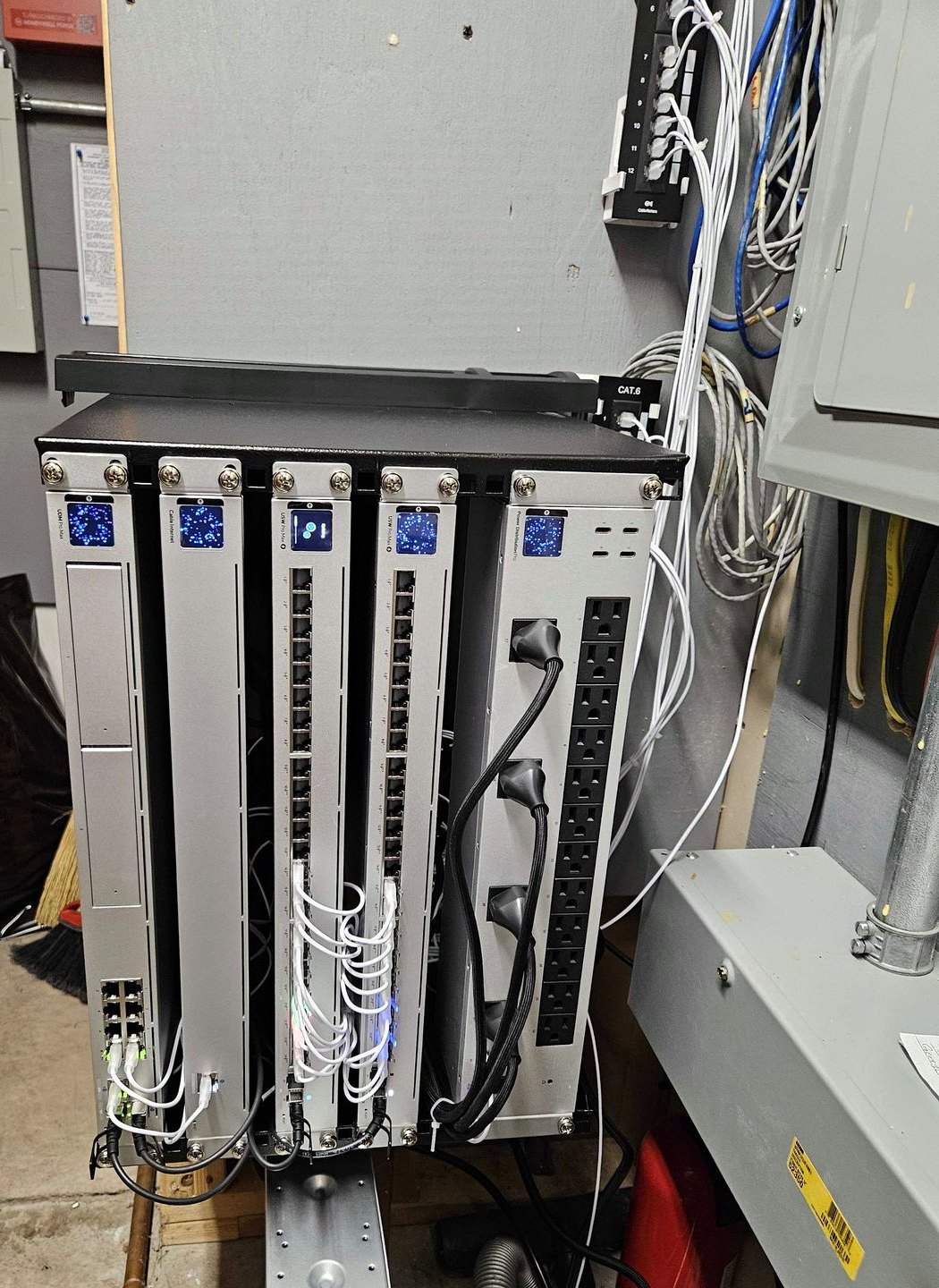
- Cables, racks and wall plates are involved. Anything terminated into a wall or a rack is fixed in place by definition, and no bench can help with it.
- The person using it cannot be without it. Reception, a single till, a practice with one machine that runs the day. The visit exists so the gap is measured in hours rather than days.
- It only misbehaves on your network. Faults that vanish the moment the machine leaves the building are real, and they are almost always the network, the power, or something else on the same wire.
- Somebody needs showing, not telling. New hardware, a migration, a change of process. Ten minutes standing next to the person who uses it beats a phone call every time.
- Moving it is the actual risk. An all in one machine, a large display, or a desktop with a drive that is already unwell. Sometimes the safest thing you can do with a computer is not carry it anywhere.
If none of those describe your problem, say so on the call. A single laptop with a clear fault is often faster and cheaper on our bench in Fayetteville, and we would rather tell you that than sell you a visit you did not need.
Onsite, remote, or on the bench: which one is yours?
Most jobs have one obviously right route and two wrong ones. Here is how the common problems usually land, before you spend anything finding out.
| What is wrong | Usual route | What decides it |
|---|---|---|
| Wi-Fi drops in part of the building | On site | The fault is the building, so it has to be measured there |
| Server, NAS or RAID will not start | On site | Moving it is the risk, and the array order matters |
| Whole office slowed down at once | On site | One visit covers what would be several drop offs |
| New machines to set up and hand over | On site, sometimes staged first | Whether the data has to move with the person |
| Printer nobody can print to | Remote first, on site if it is the wiring | Whether the printer answers on the network at all |
| Software error, password or email trouble | Remote | Nothing physical is broken, so nothing needs a van |
| Laptop will not power on | Bench, in Fayetteville | It needs parts, a teardown and time on a workbench |
| Cracked screen, hinge, or liquid damage | Bench, in Fayetteville | Parts and a controlled space beat a customer desk |
| Drive clicking, or files gone | Stop and call first | Every extra power on can make it permanent, see data recovery |
This is the shape of it, not a ruling on your job. We work out the route on the phone, for free, and we say plainly when the cheaper route is the one that does not involve us driving anywhere.
What actually happens on an onsite repair visit?
A technician arrives, looks at the machine or the network in place, and finds the fault before touching anything. You then get told what it is, what fixing it involves, and what the alternative is. Work starts only after you agree. Where a part is needed and not in the van, we say so, order it, and book the return rather than leaving the job half open with no date on it.
- The call comes first, and it is free. Describe what happens and when it started. A useful number of problems get sorted on the phone, and where that is true we will say so instead of booking a visit.
- We agree a time and what we are coming for. One machine, one room, or a list. Knowing which changes what gets loaded into the van.
- Diagnosis happens in front of you. You see what is being checked. If the answer changes halfway through, you hear it then, not on an invoice afterwards.
- You approve the work before it starts. Including the option of not doing it. Deciding to leave it alone is a legitimate outcome of a visit.
- Anything that cannot finish on site gets a date. A machine that needs the bench leaves with a receipt and a plan, not a vague promise.
- You get told what we changed. Passwords, settings, hardware, and anything that will look different tomorrow morning.
If your business would rather this was handled before it becomes a visit at all, that is what managed IT is for. Same people, same office, just watching the machines instead of waiting for the call.
What happens to your data while the machine is being repaired?
On an onsite visit, your data does not go anywhere. That is one of the real advantages of the visit: the disk stays in the machine, in your building, and nothing is copied off it unless you ask for that specifically. When a machine has to come back to the bench, it travels with its drive, and what happens next is something you agree to first rather than find out afterwards.
- Nothing is copied off without you saying so. If a job needs a backup taken before work starts, that is a conversation, not an assumption.
- A repair and a data recovery are different jobs. If a drive is failing, the repair stops and the conversation changes, because the wrong next step on a failing disk is permanent. Read what to do about a failing drive before powering it up again.
- Encrypted machines stay encrypted. Bring or find the BitLocker or FileVault recovery key before the visit. Without it, a healthy disk can still be unreadable, by us or by anyone.
- You are told before anything is wiped. No reinstall, reset or reformat happens as a surprise. If a rebuild is the sensible answer, you hear it and decide.
- Old machines leave with their disks. When kit is replaced, the drive goes back to you, or it gets dealt with in a way you have agreed, and never quietly.
- We do not need your passwords for most work. Where an account genuinely has to be signed into, you type it, or you change it afterwards. Say so and we will work that way.
This is the honest version rather than a policy paragraph. If any of it matters to you in a specific way, raise it on the first call, and it gets agreed before a technician is at your door.
Which faults are worth repairing, and which are worth replacing?
The deciding factors are the age of the machine, whether the broken part is a module or the whole board, and whether the platform still receives security updates. A repair is worth doing when it buys years rather than months. When the part costs a meaningful share of a like for like replacement, or the machine was already at the end of its life, replacing is the cheaper answer over any sensible horizon and we will say so.
| What broke | Worth repairing | Worth replacing |
|---|---|---|
| Desktop power supply | Nearly always | Only on an old machine |
| Hard disk or SSD | Yes, often an upgrade too | If the machine is too old |
| Memory, fans, thermal paste | Yes, cheap and quick | Rarely |
| Laptop battery or keyboard | If the part is still made | If the part has gone |
| Laptop screen or hinge | If it has years left | If it is old or has other faults |
| Motherboard or liquid damage | Rarely, on high value machines | Usually, the part is most of it |
| No more security updates | Only as a planned stopgap | Yes, the risk is the software |
Nobody can rule on your machine from a table. What this does tell you is which questions to ask, and that a shop willing to say do not repair this is worth more to you than one that never says it. If replacing is the answer, we sell and set up the replacement too, and you can see what that looks like on our computer sales page.
How far will you travel for an onsite visit?
On site across all of Upstate New York, worked from one office in Fayetteville. The near work is the everyday: Syracuse, Manlius, Dewitt, Liverpool, Baldwinsville, Cicero, Chittenango and Cazenovia. Beyond that we travel, with the trip planned and agreed in advance rather than discovered on the invoice. Clients who run more than one location are covered at every one of them, including sites we reach by air. The service areas page lists the local towns, with distances from our door.
- Close to the office. The Syracuse area and the towns around Fayetteville are routine, and same day visits are often possible. Ask on the call and you will get a straight answer about today.
- Further out in Upstate New York. Rochester, Buffalo, Albany, Utica, Rome, Binghamton, Ithaca, Watertown and everywhere between. These are planned visits, agreed with you first, and often bundled so one trip clears a list.
- More than one office. Every location gets the same standard, monitored and supported from Fayetteville, with travel to each site arranged when the work needs hands.
- We hold no other offices. One address, one team, one standard. What you get in Fayetteville is what turns up in Utica.
Which of these is the reason you are calling?
Six things account for most of the onsite work. Find yours and you already know roughly what happens next.
Wi-Fi and network trouble
Drops in one part of the building, slow at the far end, or dead ports on a wall plate. This is measured where it happens, which is why it is an onsite job almost every time.
A server or NAS that stopped
It will not boot, an array will not rebuild, or a share nobody can reach. Do not force a rebuild and do not reorder the disks. Label the order, leave it, and call.
A desktop that will not start
No power, no display, or it starts and then stops. Some of this is a power supply and finishes in the visit. Some of it needs the bench, and you get told which on the day.
Printers and shared devices
The printer nobody can find, the scanner that stopped scanning to email, the device that works for one desk and no others. Often the network rather than the hardware.
New machines and migrations
Kit that has to be set up, joined, and handed to the person who uses it, with their files and their email where they expect to find them. Best done at the desk.
Something got in
Pop ups, a ransom note, an account doing things nobody did. Disconnect the machine from the network and call. What you should not do is keep working on it while you think about it.
What if the job is better on a bench?
A visit is not always the right answer, and a shop that pretends otherwise is selling travel. Some repairs simply go faster in a room with parts, tools and time in it, and here is how we handle that without stranding you.
- We tell you on the phone where we can. A laptop that will not power on, a cracked screen, a hinge, liquid damage. Those are bench jobs and you will hear that before anyone gets in a van.
- A visit can become a collection. If the diagnosis on site says bench, the machine can come back with us that day rather than needing a second trip from you.
- You keep working meanwhile. Where it matters, we sort out what you use in the gap before the machine leaves the building, not after.
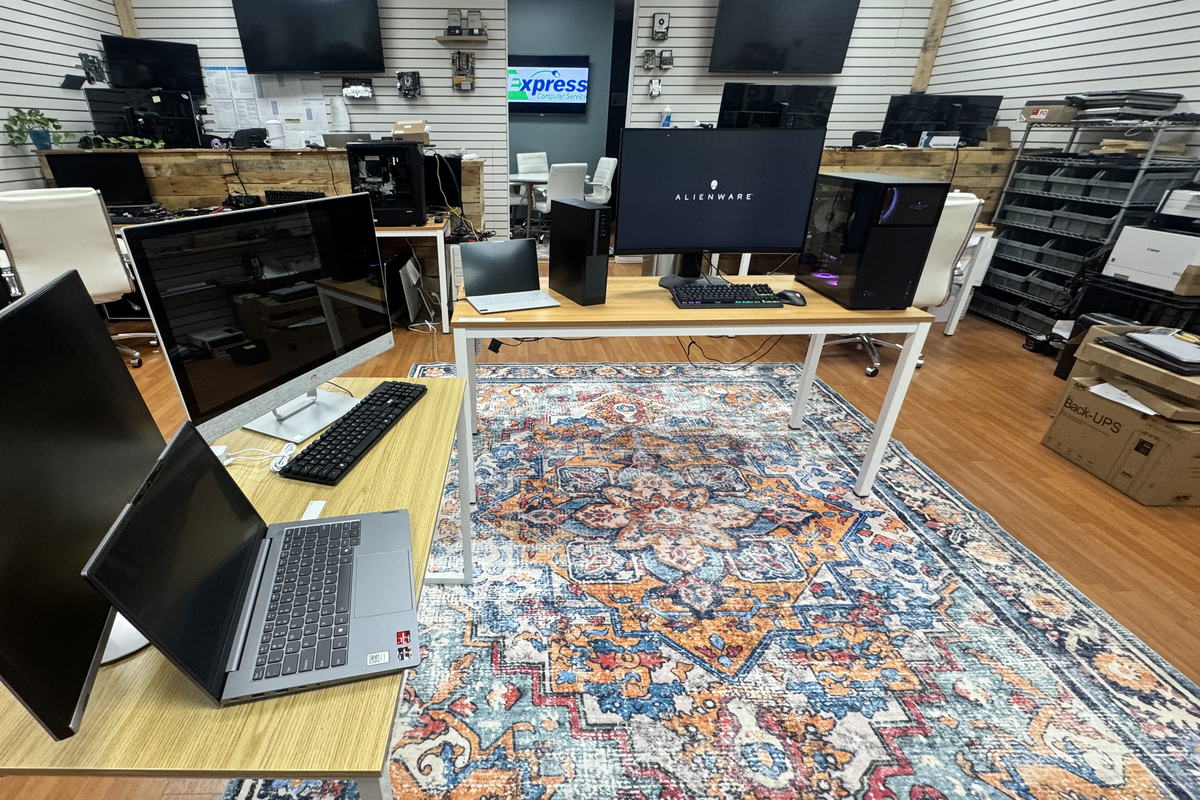
- The address is real and it is local. 511 East Genesee St, Suite 8A, Fayetteville, NY 13066, a short drive from Syracuse, Manlius, Dewitt and Chittenango.
- Rates are published, not quoted at you. Household work is on our home computer pricing page and business per seat work is on our managed IT pricing page. This page carries no figures on purpose, so it can never quietly go stale against those.
What does an onsite visit cost, and what is agreed first?
You should not have to guess at this, and you should not have to read a sales page to find it. Here is the honest shape of it, with the figures where they belong rather than where they look best.
- The call is free and carries no obligation. Working out whether you need a visit at all costs you nothing, and sometimes the answer is that you do not.
- Onsite labour is billed by the hour, with a minimum. The published figures live on the rate cards rather than on this page, because a page like this goes out of date and a rate card does not.
- Household and home office work. The rates are on our home computer pricing page, published rather than assembled on request.
- Business and per seat work. The rates are on our managed IT pricing page, including what covered support looks like when you would rather not buy visits one at a time.
- Same day and out of hours can carry more. If you need today, or you need after close, say so on the call and you will be told what that changes before it is booked.
- Travel beyond the local area is simply scheduled with you. Distance is part of the conversation before the visit, never a line item discovered afterwards.
- Nothing is done that you have not approved. Including the decision to stop, walk away, and not spend the money. That is a real option and it is sometimes the right one.
If a firm gives you a fixed repair price over the phone for a fault nobody has looked at yet, be careful. Before anyone has seen it, the honest answer is a route, a rate, and a clear description of what would change it.
21 years, one company, one address.
You are giving somebody a key to your office and access to the machines your work sits on. It is worth knowing exactly who that is before they arrive.
- 21 years under one legal entity. Express Computer Service L.L.C. was filed on 13 May 2005 and trades today as Express IT Solutions. Same company, same owner, same address.
- Independently run. Express IT Solutions is owned and run from Fayetteville. No chain, no franchise agreement, and no head office in another state deciding how your visit gets handled.
- A real office you can stand in. 511 East Genesee St, Suite 8A, Fayetteville, NY 13066, which is where the bench work happens and where you can turn up and speak to somebody.
- On site across all of Upstate New York. Worked from that one Fayetteville office. If you run more than one location, we cover every one of them, including the ones we reach by air, with travel planned and agreed in advance.
- We tell you what we do not know. This page marks the unpublished parts as unpublished rather than filling them with a comfortable guess. Expect the same on the phone and at your desk.
What can you do to make the visit shorter?
Most of the time lost on an onsite job is spent finding things out that somebody in the building already knew. These eight take a few minutes and can take a chunk out of the visit.
- Write down when it started and what changed. A power cut, a new printer, a Windows update, a builder in the ceiling. The date is often the whole diagnosis.
- Find out who else it happens to. One desk, one room, or everybody. That single answer decides where we start looking.
- Locate your recovery keys. BitLocker or FileVault, plus the account the machine signs into. Without those, some repairs cannot even begin.
- Know who can approve spending. If a part is needed, the visit stalls waiting for a person, not for a screwdriver.
- Clear access to the equipment. The cupboard the switch lives in, the desk with the machine under it, and a key for whoever holds it.
- Note the make, model and age. Anything on the label helps, and age is what decides repair against replace more often than the fault does.
- Check your backup exists before we arrive. Not that it runs. That you can open a file from it. This is the single most valuable ten minutes on this list.
- Leave a broken thing broken. Do not reinstall, reset or run a repair tool the night before. It buries the evidence and sometimes it buries the files.
If a drive is clicking, grinding, or the files have already gone, stop here and do not power it on again. Read what to do in the first hour, because that situation gets worse with every attempt.
What people ask before booking an onsite visit
Do you offer same day onsite service?
Often, yes, particularly close to our Fayetteville office and around Syracuse. It depends on what is already booked that day and how far the job is, so the only honest answer is the one you get on the phone. Call (315) 682-6372 and ask directly about today. Same day and out of hours work can carry more than a scheduled visit, and you will be told that before anything is booked rather than after.
What areas do you cover for onsite work?
On site across all of Upstate New York, worked from one office at 511 East Genesee St, Suite 8A, Fayetteville, NY 13066. The everyday work is Syracuse, Manlius, Dewitt, Liverpool, Baldwinsville, Cicero, Chittenango and Cazenovia. Further out, including Rochester, Buffalo, Albany, Utica, Rome, Binghamton, Ithaca and Watertown, we travel with the trip planned and agreed in advance. Clients who run more than one office are covered at every location, including sites we reach by air.
Do you come to homes as well as businesses?
Yes. Home visits and business visits are both onsite work and both start with the same free phone call. The difference is which rate card applies to you: household and home office work is published on our home computer pricing page, and business and per seat work is published on our managed IT pricing page. Ask on the call which one covers your job and you will be told before a visit is booked.
How much does an onsite visit cost?
Onsite labour is billed by the hour with a minimum, and the published figures live on our rate cards rather than on this page, so that a marketing page can never drift out of step with what you are actually charged. Home and household rates are on our home computer pricing page. Business and per seat rates are on our managed IT pricing page. Same day, out of hours and travel beyond the local area are all agreed with you before the visit is booked.
Is my data safe during an onsite repair?
On an onsite visit the disk stays in the machine and in your building, and nothing is copied off it unless you ask for that. Nothing is wiped, reset or reinstalled as a surprise, and if a rebuild is the sensible answer you hear it and decide. If a machine has to come back to our bench it travels with its drive, and what happens next is agreed with you first rather than explained afterwards.
Should I repair this computer or replace it?
It comes down to the age of the machine, whether the broken part is a module or effectively the whole board, and whether the platform still receives security updates. A repair is worth doing when it buys years rather than months. Where the part costs a meaningful share of a like for like replacement, replacing is cheaper over any sensible horizon, and we will tell you that even though it is the answer that sells you less work.
My computer will not turn on at all. Is that an onsite job?
A desktop often is, because a failed power supply is a standard part and can be dealt with in the visit. A laptop that is completely dead usually is not, because it needs a teardown, parts and time on a bench. Either way the phone call is free and it costs you nothing to find out which one you have before anybody drives anywhere or you carry a machine across town.
TELL US WHAT IS HAPPENING
Describe it in your own words.
What is broken, who it affects, and when it started. That is enough for us to tell you whether it needs a visit, a remote session, or the bench.
- It goes to our office in Fayetteville, not a call centre.
- You hear the route and the plan before anything is booked.
- If you do not need a visit, we will tell you that too.
If a whole office is down, call instead
A form waits for somebody to read it. If the business has stopped, or a drive is clicking, pick up the phone. That is faster and it costs you less than the wait.
The form is the better route for a booking that can wait until tomorrow, or if you would rather write it down than say it out loud.
(315) 682-6372Tell us what is broken, and we will tell you the route.
One free phone call and you will know whether this is a visit, a remote session or a bench job, and roughly what it takes. That is worth more than an afternoon of guessing at it.
Free first call. We will tell you straight when the answer is that you do not need us at your door.
Express IT Solutions · Computer service in Central New York since 2005 · Last updated August 16, 2026