
Cloud, Microsoft 365 and backup for Syracuse and Upstate New York.
The cloud work a business with real staff and real files actually needs: tenants administered properly, servers moved without losing history, backups that have been restored from, and somebody watching. We have run a computer service business in Central New York since 2005, from one office in Fayetteville, and a person answers at (315) 682-6372. The service areas page maps that coverage town by town, with distances from our door.
Or start with the question almost everybody gets wrong.
Cloud work for a business this size is four jobs: administering Microsoft 365 or Google Workspace properly, backing up what those platforms will not back up for you, moving servers and files off ageing hardware, and monitoring what is left. Express IT Solutions has run a computer service business in Central New York since 2005, from 511 East Genesee St in Fayetteville, and works on site across Upstate New York. We do not run Kubernetes platforms. Call (315) 682-6372.
Nearly every tenant we look at has the same gap in it.
A company moves to Microsoft 365 or Google Workspace, cancels its backup, and assumes the platform is looking after everything. It is not, and the check takes an afternoon.
Is Microsoft 365 backed up?
Not the way most people assume. Microsoft keeps the service running and protects your data from their own failures. What happens inside your tenant is yours. If somebody deletes a folder, a leaver's mailbox is removed, ransomware encrypts a synced library or an account is compromised and cleans itself out, you are relying on retention windows measured in days that are a deletion delay rather than a backup. Find out what yours actually are, and write them down.
| Where the line falls | The platform | You |
|---|---|---|
| The service staying up | Theirs | Not your problem |
| The data inside your tenant | Stored, not backed up | Yours |
| Who can sign in, and from where | Tools provided | Yours to configure |
| A folder deleted last month | Retention window only | Yours to be able to restore |
| How long deleted items survive | A default you inherited | Yours to choose and check |
What does a real backup of a cloud tenant look like?
A separate copy, held somewhere the tenant cannot reach, covering mail, calendars, contacts, OneDrive, SharePoint and Teams, with a retention you chose rather than one you inherited. The part that matters is not the backup, it is the restore. A backup that reports success every night and cannot put one folder back where it came from is worth nothing, and you find that out on the worst day. We test restores rather than test backups, and there is a difference.
If the worst has already happened and the copy is gone, that is a different job and it has its own page: data recovery.
What cloud work do you actually do?
Four things, described in enough detail that you can tell whether we have done them. Cloud services for a small or mid sized business means running the parts of your systems that now live in somebody else's data centre. It is administration and continuity work, not software engineering.
Microsoft 365 and Google Workspace administration
Licences that match headcount, mailboxes and shared mailboxes set up so the right people can reach them, groups that mean something, devices enrolled, and the sign in rules that decide who gets in. Most of this is invisible when it is right and expensive when it is not.
It is also where the security work starts: multi factor on every account, legacy sign in methods switched off, the number of global administrators cut down. That overlaps with our cybersecurity work, and on most sites it is the same afternoon.
Backup and disaster recovery
A separate copy of the tenant, held where the tenant cannot reach it, covering mail, calendars, contacts, OneDrive, SharePoint and Teams. Servers and line of business data as well, where those still exist. Retention you picked rather than one you inherited.
Then the half nobody does: putting something back. We test restores rather than test backups, because a job that reports success every night and cannot return one folder is a schedule, not a backup.
Server to cloud migration
Working out what the old server actually does, deciding item by item what moves and what does not, then moving data with permissions intact and cutting over on a date you agreed. Mail, files, shares, the application nobody mentioned, the scheduled job that emails a report.
The old server stays readable until everybody is sure. Nothing is wiped on cutover day, and the completed checklist is handed over rather than described.
Monitoring
Being told before the user tells you. Disks filling, backups that quietly stopped running, a server that has not rebooted since a patch failed, a certificate about to expire on the thing customers use, an account signing in from somewhere it should not be.
None of those announce themselves, and all of them are cheap on the day they start. Monitoring runs on its own or inside managed IT, which is the ongoing flat monthly plan.
A migration is priced from its scope, so nobody can quote yours off a web page, including us. No figures are published on this page on purpose. What is published sits on our managed IT pricing page, and the packages themselves on MSP business packages.
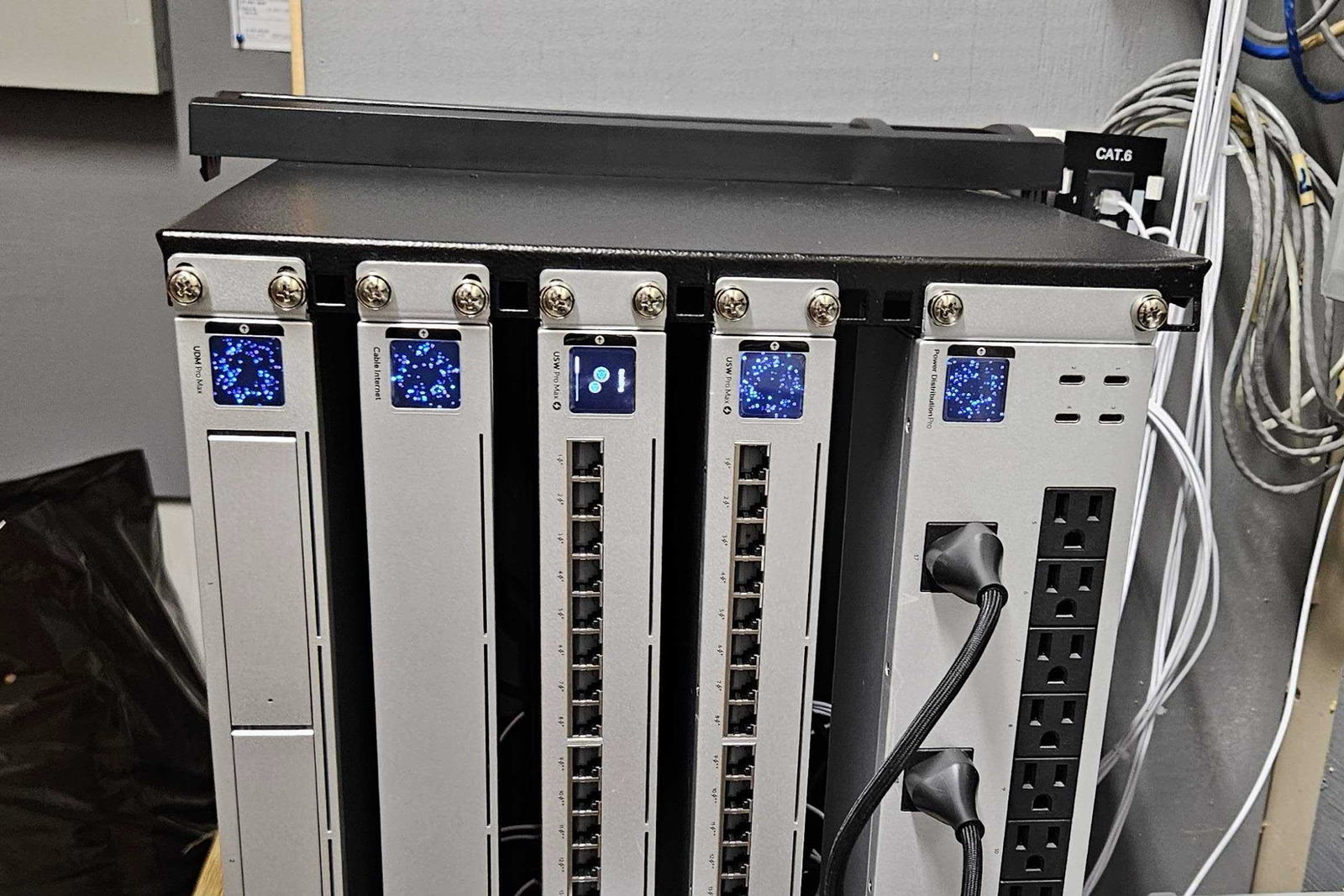
What does a server to cloud migration actually involve?
Less drama than the phrase suggests and more preparation. Six steps, in this order, every time, so you can tell where a move has gone off the rails, on ours or on anybody else's.
- Find out what the server actually does. Which is never only what people think. File shares, an application nobody mentioned, a printer queue, a scheduled job that emails somebody a report.
- Decide per item, not per server. Each one either goes to a cloud service, goes to a hosted server, or stays where it is because moving it is not worth doing. That third answer is a real answer.
- Look at what you have, on site or remotely. You can also start with a free site survey, which is the same look booked as its own visit.
- Move the data with permissions intact. Including the permissions that were wrong, because changing them silently during a move is how a migration turns into a fortnight of access complaints.
- Cut over on an agreed date. Out of hours where it has to be. Multi site work is planned with you in advance, including travel, and every location is covered.
- Keep the old server readable until everyone is sure. Nothing is wiped on cutover day. The checklist written before the move is handed back completed.
What is your honest answer on DevOps, Kubernetes and CI/CD?
We are not that firm, and you should know before the first call rather than the third. If you are running a software product that needs a container platform, a build pipeline and somebody on call for it, hire a team that does only that. What we do is the operations side of a business that runs on software rather than sells it.
| The work | Do we do it? | What that means in practice |
|---|---|---|
| Microsoft 365 and Google Workspace administration | Yes | Tenants, licences, identity, devices and sign in rules |
| Backup, tested restores and continuity | Yes | A separate copy, and proof it can be put back |
| Server to cloud migration | Yes | Scoped, moved with permissions, cut over on a date |
| Monitoring and alerting | Yes | Told before the user tells you, on its own or inside a plan |
| Running a Kubernetes or container platform | No | Hire a team that does only that work |
| Build pipelines and release engineering for your product | No | Same answer, and we will say it on the first call |
| On call rotation for a software product you sell | No | That is a platform team, not a local IT firm |
| Software we build and run ourselves | Yes | That work has its own page rather than being folded in here |
A firm that says yes to everything is a firm you will meet again at the fourth invoice. If what you need is on the lower half of that table, say so on the call and we will tell you straight away rather than three meetings in.
Microsoft 365 or Google Workspace, and can we move between them?
Both are good and the answer is usually decided by what your staff and your industry already use rather than by a feature table. Microsoft 365 suits offices that live in Excel, Teams and Windows, and it brings the identity and device management most compliance work leans on. Google Workspace suits teams that work in a browser and want less administration. Moving between them is a genuine migration with mail, files and permissions, not a switch, and it is a project rather than an afternoon.
| What usually decides it | Microsoft 365 | Google Workspace |
|---|---|---|
| Where your staff already work | Excel, Teams, Windows | A browser, all day |
| Identity and device management | Deep, and most compliance leans on it | Lighter, less to administer |
| Desktop applications | Installed, and used offline | Browser first |
| Moving to the other one | A migration, not a switch | A migration, not a switch |
Why does most cloud work turn into identity work?
Because the account is now the perimeter. Once mail and files are reachable from any browser in the world, the only thing between your company and somebody in another country is who can sign in and under what conditions. That is why the first cloud job on almost every site is the dull one: multi factor on every account, legacy sign in methods switched off, the number of global administrators cut down, and a break glass account stored offline.
What does monitoring actually get you?
Being told before the user tells you. Disks filling, backups that quietly stopped running, a server that has not rebooted since a patch failed, an account signing in from somewhere it should not be, a certificate about to expire on the thing customers use. None of those announce themselves. All of them are cheap to fix on the day they start and expensive on the day somebody notices, which is usually a Monday morning.
Twelve things to check in your Microsoft 365 or Google Workspace tenant
Every one of these is checkable by an administrator this week, and every one of them is something we find wrong on tenants that were set up by somebody competent and then left alone for three years. Take the list to whoever runs yours, including us.
- Count your global administrators, then count them again. Almost every tenant has more than it needs, and usually one belongs to a person who left or to a supplier who did a project in 2022. Everyday work should not happen on an administrator account at all.
- Confirm there is a break glass account, and that it is excluded from your conditional access rules. One account that can still get in when the security tooling, the phone system or the identity provider is what broke. Its credentials belong on paper in a safe, not in the password manager it might be locking you out of.
- Check multi factor is on every account, not most accounts. The gaps are always the same three: a shared mailbox turned into a licensed user, a service account for a scanner or an application, and one executive who asked to be excluded.
- Switch off legacy sign in methods. Older protocols bypass modern sign in rules entirely, which makes the rest of your security work decorative. Find out what still uses them first, because it is usually one multifunction printer and an old backup job.
- Write down your actual retention windows in days. Deleted mail, deleted files, deleted user accounts, and what happens to a mailbox when a licence is removed. Not what you assume. The real numbers, from your own tenant, on paper.
- Look at mailbox forwarding rules across the whole tenant. A rule quietly copying mail to an outside address is the classic sign of a compromised account, and it can sit there for months because nothing about it looks broken.
- Restore one real folder from your backup, today. Not a test job. Pick a folder somebody would actually miss and put it back. If that cannot be done in an afternoon, you do not have a backup, you have a schedule.
- Check what a leaver's account does after they go. Whose mail arrives where, what happens to their files, and whether the licence was ever released. Most companies pay for departed staff and lose their files at the same time.
- Check whether email authentication is published for every domain you send from. Including the old brand domain, the one used for newsletters and the one the invoicing system sends from. A domain nobody has set up properly is a domain somebody else can send as.
- Confirm the domain registration is in the company name, and find out when it expires. Cloud email is worth nothing without the domain, and the domain is the single item most often registered to a supplier or to somebody's personal account.
- Compare licence count against actual headcount. Every tenant we look at is either paying for people who left, or has staff sharing a login because nobody wanted to add a licence. Both are worth finding.
- Find out who else has access that is not a person. Third party applications with consent to read your mail or files, old integrations, a vendor's support account. Each one is a door, and doors granted three years ago are rarely reviewed.
If you would rather somebody went through that list with you against your own tenant, that is a phone call and not a sales meeting: (315) 682-6372.
What breaks when everything is in the cloud and the internet drops?
Everything at once, which is the honest cost of the arrangement. When mail, files, accounting and phones all live somewhere else, your internet connection stops being a convenience and becomes the business. That changes what is worth spending on: a second connection from a different carrier, a router that fails over automatically, and knowing in advance which people can carry on from a phone. Decide that before you move, not during the first outage.
How do you know a migration actually went right?
You check, against a list written before the move rather than after. Mail history complete back to the oldest item. Shared mailboxes and calendars reachable by the right people. File permissions matching what they were, including the ones that were wrong. Every device signed in and syncing. Nothing still pointing at the old server. Licences matching headcount rather than the number you started with. We hand that list over completed, and the old system stays readable until it is signed off.
What does cloud work cost?
A migration is priced from its scope, so nobody can quote yours off a web page, including us. What moves it is how many people, how much history, how many systems point at the old server, and whether anything has to keep running during the move. No figures are published on this page on purpose. What is published sits on our managed IT pricing page, and the packages themselves on MSP business packages. Project work that is not cloud specific sits under business IT services.
Do you come to us, or is cloud work all remote?
Most of it is remote, and the parts that are not matter more than people expect. We work on site across all of Upstate New York from our one office at 511 East Genesee St in Fayetteville, and multi site clients are covered at every location, including ones reached by air.
- Cutover mornings. Somebody in the building while people sign in for the first time, because that is the hour a migration is judged on.
- The old server. It has to be dealt with physically at some point, and decommissioning it properly is not a remote job.
- Devices that will not sign in. There are always two or three, and they are always faster in person than on a call.
- The internet work a cloud dependent office needs. A second carrier, failover, switching and cabling. Once everything is hosted elsewhere, this is the business.
- Every location of a multi site client. On the same standard, including locations reached by air, planned and agreed in advance rather than appearing on an invoice.
The dull parts, done by the same people for 21 years.
Cloud problems are trust problems. Somebody holds the keys to your mail, your files and every account in the company, and what usually goes wrong is not technical: the company changed hands, or the person who knew your tenant left.
- One legal entity since 2005. Express Computer Service L.L.C., filed 13 May 2005, trading as Express IT Solutions. We were administering business email before either of these platforms had its current name.
- Independently run. Express IT Solutions is owned and run from Fayetteville, and our engineers are reachable. Cloud problems are trust problems, and the escalation path is short.
- A real address you can visit. 511 East Genesee St, Suite 8A, Fayetteville, NY 13066, a short drive from Syracuse, Manlius, Dewitt and Chittenango.
- On site across Upstate New York, multi site included. Every location of a multi site client is covered on the same standard, including locations reached by air.
- We publish what we will not take on. The DevOps question above is answered honestly rather than agreed to. A firm that says yes to everything is a firm you will meet again at the fourth invoice.
- Rated 4.9 from 154 reviews. You can read them here rather than take the number on trust.
What businesses ask before they move anything
Does Microsoft 365 back up our data?
Not the way most people assume. Microsoft keeps the service running and protects your data from their own failures, but what happens inside your tenant is yours. A deleted folder, a removed leaver's mailbox, ransomware encrypting a synced library or a compromised account clearing itself out all sit with you, and what stands between you and losing that is a retention window measured in days. Find out what yours actually is, in days, from your own tenant, and write it down. It is usually shorter than people expect.
What does a proper cloud backup include?
A separate copy held somewhere your tenant cannot reach, covering mail, calendars, contacts, OneDrive, SharePoint and Teams, with a retention period you chose rather than one you inherited. The part that matters is the restore rather than the backup. A job that reports success every night and cannot put one folder back where it came from is worth nothing, and you find that out on the worst possible day. We test restores rather than test backups, and there is a real difference between the two.
Can you move our old server to the cloud?
Usually, and the first job is working out what it actually does, which is never only what people think. File shares, an application nobody mentioned, a printer queue, a scheduled job emailing somebody a report. Then each of those gets a decision: move it to a cloud service, move it to a hosted server, or leave it because moving it is not worth doing. Data moves with permissions intact, cutover happens on an agreed date, and the old server stays readable until everybody is sure.
Microsoft 365 or Google Workspace, which should we be on?
Usually whichever your staff and your industry already use, rather than whichever wins a feature comparison. Microsoft 365 suits offices living in Excel, Teams and Windows and brings the identity and device management that most compliance work leans on. Google Workspace suits teams that work in a browser and want less to administer. Moving from one to the other is a genuine migration of mail, files and permissions rather than a switch, so it is worth choosing deliberately rather than drifting.
Do you do DevOps, Kubernetes and CI/CD pipelines?
No, and you should know that before the first call rather than the third. If you are running a software product that needs a container platform, a build pipeline and somebody on call for it, hire a team that does only that work. What we do is the operations side of a business that runs on software rather than sells it: cloud tenants, migrations, backup, disaster recovery and monitoring. We do build and run our own software, and that work has its own page rather than being folded in here.
What happens if our internet goes down and everything is in the cloud?
Everything stops at once, which is the honest cost of the arrangement. Once mail, files, accounting and phones all live somewhere else, the internet connection stops being a convenience and becomes the business. That changes what is worth spending on: a second connection from a different carrier, a router that fails over on its own, and knowing in advance which people can keep working from a phone. Decide that before the move rather than during the first outage.
How do we know a migration actually went right?
You check it against a list written before the move rather than after. Mail history complete back to the oldest item. Shared mailboxes and calendars reachable by the right people. File permissions matching what they were. Every device signed in and syncing. Nothing still pointing at the old server. Licence count matching headcount. We hand that list over completed, and the old system stays readable until you have signed it off rather than being wiped on cutover day.
Can you work alongside the IT person we already have?
Yes, and it is more common than replacing anybody. Cloud and continuity work is often exactly the part one internal person cannot carry alongside a helpdesk: tenant hardening, backup and tested restores, a migration with a date on it, and monitoring that has to be watched rather than installed. Your person keeps the relationship with the staff and keeps their job, which is usually the unasked question in the room.
What does a cloud migration cost?
It is priced from its scope, so nobody can quote yours off a web page, including us. What moves it is how many people, how much history, how many systems still point at the old server, and whether anything has to keep running during the move. No figures are published on this page on purpose. What is published sits on our managed IT pricing page and the MSP business packages page, and for project work you get the figure in writing before anything is ordered.
Do you come on site, or is this all done remotely?
Most of it is remote and the parts that are not matter more than people expect: cutover mornings, the old server that has to be dealt with physically, devices that will not sign in, and the internet work a cloud dependent office needs. We work on site across all of Upstate New York from our one office at 511 East Genesee St in Fayetteville, and clients who run more than one office are covered at every location, including the ones we reach by air.
ASK FOR A TENANT REVIEW
Tell us what you are running now.
Which platform you are on, roughly how many people, whether there is still a server, and what you are worried about. That is enough for us to tell you what is worth doing and what is not.
- It goes to our office in Fayetteville, not a call centre.
- You get the findings whether or not you use us.
- If your setup is already fine, we will tell you that too.
If you have lost access to something, call instead
A form waits for somebody to read it. A locked out tenant, a mailbox that has emptied itself or a backup nobody can restore from does not wait, so pick up the phone.
The form is the better route for a migration you are planning, a second opinion on a quote, or a review of a tenant that has been left alone for a while.
(315) 682-6372Find out what your tenant would actually get back.
One phone call, free and with no obligation. You will know what your retention windows really are, whether the backup you are paying for could restore a folder this afternoon, and whether the migration you are considering is worth doing at all.
Free first call. We will tell you straight if the answer is to leave things where they are.
Express IT Solutions · Computer service in Central New York since 2005 · Last updated August 16, 2026