At our published flat rates, most computer repairs in Syracuse cost $129 to $199 before parts, or $189 to $219 an hour when a job is not flat. Typical market pricing runs roughly $100 to $300 a job. Repair when the fix is under half the cost of a sensible replacement and the machine is under five years old.
Two things before the detail. The market range is what quotes tend to look like when you collect a few; it is not a survey, nobody audits this trade, and any page quoting an exact average is guessing. Our own numbers are printed on our booking page, so everything here that is ours can be checked.
What computer repair costs at our shop
We are a Syracuse area repair shop with a walk-in store in Fayetteville, and we print our prices. These are the flat and hourly rates on our booking page today. Flat means flat. Hardware work carries the part on top.
| Published job or rate | Price | Note |
|---|---|---|
| Tune-up and OS Repair | $149 | Software |
| Malware Removal | $169 | Software, tune-up included |
| Windows / Mac Setup | $179 [Basic] / $199 [Data Migration] | Software, with or without moving your files |
| Hardware Repair | $129 or $189 Depending On The Project | Labor. The part is priced on top. |
| Remote Support | $189 / Hour for Home and $199 / Hour for Business | 30 minute increments |
| In-store Support | $189 / Hour plus parts as needed | 30 minute increments |
| On-site Support | $199 / Hour for Home and $219 / Hour for Business | 30 minute increments after the first hour |
Two billing rules. Remote and in-store time is billed in 30 minute increments from the start. On-site time is billed in 30 minute increments after the first hour. Our published home rate card also carries an in-store diagnostic fee of $99; whether it is credited toward the repair is not written down, so ask when you drop the machine off.
Typical market ranges for computer repair
These are typical market ranges, clearly not our quotes and not a promise from anyone. They are here so you can tell a reasonable quote from an odd one, whoever you call. All in means parts and labor together.
| Job | Typical market range | What moves it |
|---|---|---|
| Diagnostic or bench fee | $0 to $150 | Often credited toward the repair, not always |
| Tune-up, cleanup or malware removal | $100 to $300 | Whether a full reinstall is needed |
| SSD upgrade with your data cloned, all in | $150 to $400 | Drive size moves the part, not the labor |
| Laptop screen, all in | $150 to $450 and up | Touch, high resolution and Mac panels at the top or beyond |
| Laptop battery or keyboard, all in | $100 to $350 | Glued-in batteries and riveted keyboards take longer |
| Liquid damage or board level repair | $200 to $800 and up | Whether it was powered on afterward |
| Data recovery | A few hundred dollars to several thousand | Sealed drive work at the bottom, cleanroom work at the top |
A quote far below a range usually means a used part, a shortcut, or a fee that appears later. A quote far above it should come with a reason you can understand. Syracuse and the rest of Central New York generally price under the same work in a major metro, because rent and labor cost less here.
Repair or replace: a rule a normal person can apply
The three things that decide it are age, what failed, and what the machine is for. Here is the rule we use at the counter.
1. Start with the half rule. Price the repair all in, then price the replacement you would actually buy. Under half, and the machine will be useful for another two years: repair it. Over half: replace it, unless the machine is young enough that the rest of it is still worth owning.
2. Adjust for age. Under three years, repair almost anything short of a dead motherboard. Three to five years, repair the cheap things (drive, memory, battery) and think hard before paying for a screen or a board. Memory is no longer the cheap one: see what RAM prices are doing to the repair versus replace math before you price an upgrade. Past five years on a laptop, or six or seven on a desktop, only cheap fixes make sense. A five year old laptop with a failed board is usually finished. The same laptop that is only slow is often worth an hour and a part.
3. Check that it can run a supported operating system. Microsoft publishes the Windows 11 system requirements: TPM 2.0, Secure Boot capable UEFI firmware, 4 GB of memory, 64 GB of storage and a processor on its approved list, and the same page notes that Windows 10 support ended on October 14, 2025. A machine that fails those requirements no longer gets regular security fixes outside Microsoft’s extended security updates program, and a new screen on it is money spent on a dead end. Macs age out the same way.
4. Put an SSD in before you give up on it. A machine from roughly 2014 to 2019 that still has a spinning hard drive is slow because of the drive, not because it is old. A solid state drive with your files cloned across is usually an hour or so of bench time plus the drive, on our rates $189 an hour plus the part, and it is the highest return repair in the trade. Some thin laptops and all Apple silicon Macs have soldered storage, so ask first.
5. Batteries, screens and keyboards. A worn battery on a laptop you like is the easiest yes on this page, unless it has swollen, in which case stop charging it and bring it in. A screen is priced by the panel, and a touch, high resolution or Mac panel can cost more than an older machine is worth. A keyboard is cheap as a module and dear as a whole top case, which is where a $30 external keyboard buys another year.
6. Treat the files as a separate decision. If the drive is clicking, grinding, or the machine suddenly cannot find your files, switch it off and leave it off: every retry can turn a recoverable problem into a permanent one. That is data recovery, not repair, and it is priced separately. Recovery work starts at $199. That is the floor, not the bill, and you get the real number in writing before any work starts. We do not publish a no recovery, no fee policy, so ask directly if that matters. Then set up a backup: every warranty in this business replaces parts, and none gives you your files back.
Want the number for your machine instead of a range? Book a repair, or call (315) 682-6372. You hear the price before anything starts.
The common repairs: symptom, likely cause, cost and whether to try it yourself
How the faults we see most often usually sort out, priced against the rates above.
| What it is doing | Likely cause | Cost category | Try it yourself? |
|---|---|---|---|
| Slow, otherwise works | Full or spinning drive, startup clutter, something unwanted running | Flat tune-up ($149), or an SSD upgrade on hourly plus the drive | Partly. Uninstall junk, trim startup items. A drive swap is a bench job. |
| Pop-ups, redirects, a warning to call a number | Malware or a hijacked browser, often with a remote access tool left behind | Flat malware removal ($169) | No, especially if you banked on it. Change passwords from another device. |
| Will not power on | Charger, power supply, DC jack, battery, or the board | A cheap part, or the end of the machine | Try a known good charger. Beyond that, no. |
| Cracked screen | The panel | Hardware repair plus the panel | No. Bezels, ribbon cables and adhesive. |
| Liquid spilled in it | Corrosion, spreading while powered | Unknown until opened | Power off, unplug, do not charge. Rice does nothing. |
| Clicking, grinding, files missing | A failing drive | Data recovery, $199 and up | Absolutely not. Power off and call. |
| Windows will not start | Damaged operating system or a failing drive | Flat OS repair ($149) or setup ($179, or $199 with data migration) | Not really. Repair tools can make a drive problem worse. |
Before you hand a computer to any shop
Six things that cost nothing and protect you whoever does the work, including us.
- Back it up first, if it still starts. A repair can need a wipe, and no warranty covers your data.
- Know the login password, and only that one. No shop needs your banking or email passwords.
- Write down exactly what it does. Error text, noise, when it started.
- Bring the charger.
- Know roughly how old it is. Age decides more than anything else.
- Ask five questions. Is there a diagnostic fee, and does it come off the repair? Will I hear a firm price before work starts? Are the parts new or used? What happens to my data? Will you call before going over the quote? Ours: the fee is published, the price is confirmed before any work starts, and the rest we answer on the phone.
Business repairs and home repairs are priced and handled differently
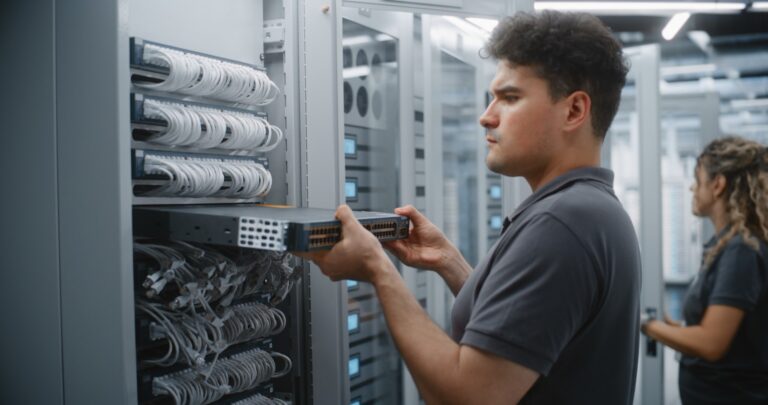
Remote support is $189 an hour for home and $199 for business; on-site is $199 for home and $219 for business, because the work differs. Businesses call for on-site computer repair when the point of sale terminal, the server or the cabling cannot leave the building, and because downtime has a payroll cost: an hour of a stopped front desk makes the on-site rate look cheap. A technician in the room also sees the switch, the printer and the Wi-Fi that a bench never will.
Home computer repair runs the other way. A laptop that will not start, a cracked screen or a spill is a bench job, and the bench in Fayetteville has the parts and the test kit. A home visit earns its price when the problem lives at the address, such as Wi-Fi that does not reach the back bedroom. Remote support, when the machine still starts, is the cheapest route for anything not physically broken.
When a used, refurbished or new machine makes more sense
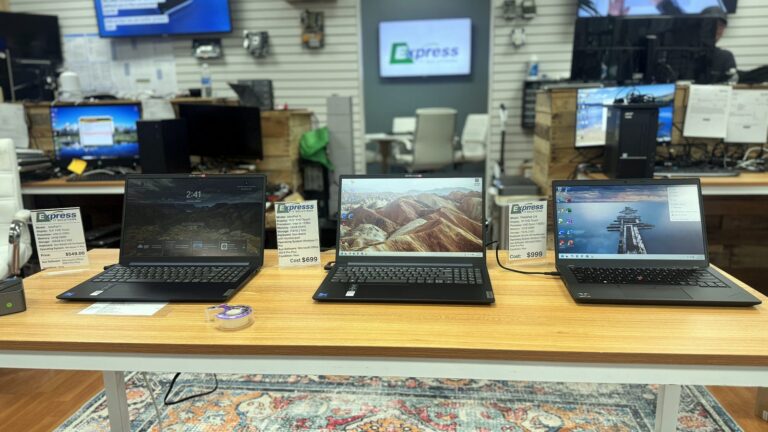
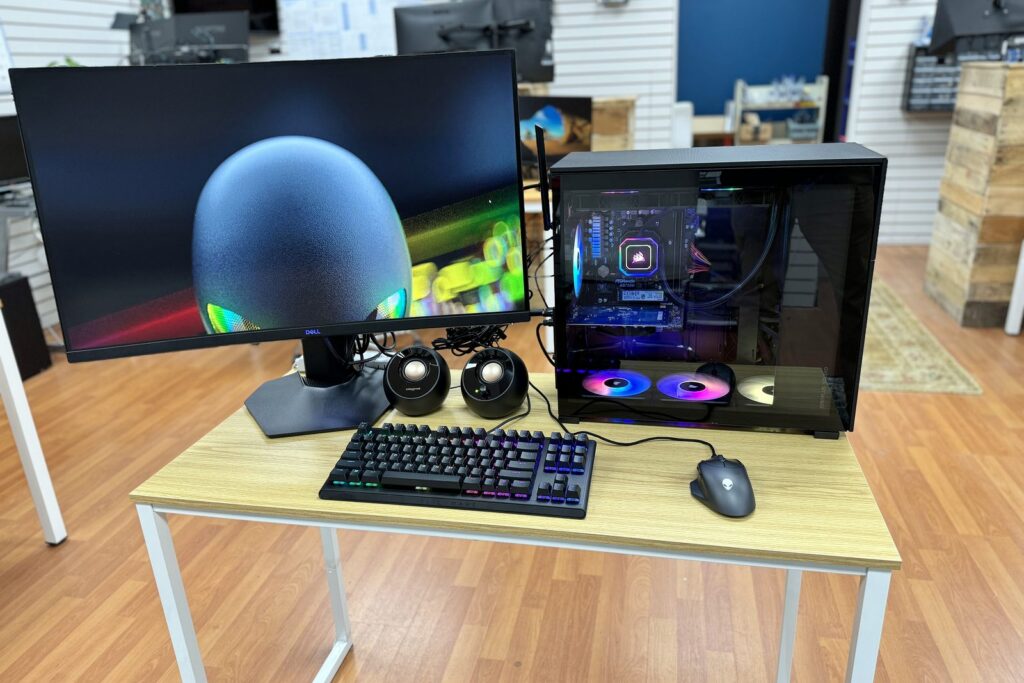
Sometimes the honest answer is to stop spending on the old machine. Published prices stack: a hardware repair at $189 plus a setup with data migration at $199 is $388 before the part, and at some point that is more than the machine deserves. The computers we sell, Starting at $499, are built and tested on the same bench that would have done the repair, with your data moved across. That is why we can afford to say a repair is not worth it: the next conversation happens in the same room.
If the budget is tight, a two or three year old refurbished business class machine, built to be opened and serviced, often outlasts a new budget consumer laptop at the same money. A consumer machine suits a few hours a week; forty hours a week deserves business class. Whatever you buy, wipe the old one before it leaves the house.
What this page does not claim
The market ranges are a sanity check, not a study. We sell repairs and we sell computers, so read us the way you would read any shop: check the published numbers against the booking page, apply the half rule, and ask the five questions. We do not publish a turnaround time, because a failing drive and a slow laptop are not the same job.
Where the work happens, and how to get it priced
We have fixed computers in Central New York since 2005 from a walk-in store at 511 East Genesee St, Suite 8A, Fayetteville, NY 13066, 7.4 miles east of downtown Syracuse, and we keep a staffed office downtown at 120 Madison St, Suite 1000. Bench work happens in Fayetteville, where you can walk in without an appointment. On-site work covers all of Upstate New York: within 50 miles of Syracuse, no questions asked. The city itself has its own page: computer repair and IT service in Syracuse.
One call tells you whether this is a flat job, an hourly one, or a machine you should stop spending money on. If the honest answer is replace, that is the answer you will get.
Book a repair or call (315) 682-6372.
Questions people ask before they bring a computer in
How much does computer repair cost in Syracuse?
At our published rates the common jobs are flat: $149 for a tune-up and OS repair, $169 for malware removal, $179 for a Windows or Mac setup or $199 with data migration, and $129 or $189 for a hardware repair depending on the project, plus the part. Hourly work is $189 in store, $189 remote for home or $199 for business, and $199 on site for home or $219 for business.
Is a five year old laptop worth repairing?
Sometimes, and what failed decides it. One that is only slow is often worth an hour and a solid state drive. One with a failed motherboard, or one that cannot run Windows 11, is usually finished. Apply the half rule: if the repair costs more than half of a sensible replacement, replace it.
How much does it cost to replace a laptop screen?
Typical market pricing is roughly $150 to $450 all in, with touch, high resolution and Mac panels at the top or above it. At our published rates, hardware repair is $129 or $189 depending on the project, plus the panel, and you hear the total before anything is opened.
Do you charge a fee just to look at a computer?
In store, yes. Our published home rate card lists an in-store diagnostic fee of $99, the only charge you can pay without anything being repaired. It does not say whether the fee is credited toward the repair, so ask when you drop the machine off and you will be told before we take it in.
Can you recover my files from a computer that will not start?
Usually. Not starting does not by itself mean the files are gone. Recovery work starts at $199. That is the floor, not the bill, and you get the real number in writing before any work starts. If the drive is clicking or grinding, switch it off and leave it off, because every retry can turn a recoverable problem into a permanent one.