
Data recovery in Syracuse and Central New York.
If a drive has stopped, is making a noise, or your files have gone, the next hour matters more than anything else on this page. Stop using the device. Do not reinstall anything and do not run a repair tool on it. Then call us. We have run a computer service business in Central New York since 2005. Bring the drive to our store at 511 East Genesee St, Suite 8A in Fayetteville, Monday to Friday, 9 to 6, and a person answers at (315) 682-6372. See where we work for the town by town list, with distances from our Fayetteville office.
Or read what to do in the first hour first.
Data recovery is the work of reading files back off a hard drive, SSD, memory card or RAID array that has failed, been corrupted, or been erased. Express IT Solutions has run a computer service business in Central New York since 2005, from 511 East Genesee St in Fayetteville. The most useful thing you can do right now is stop using the device, because a drive that keeps running can turn a recoverable problem into a permanent one. Call (315) 682-6372.
What should you do in the first hour after losing data?
Almost every unrecoverable job we hear about was recoverable when it started. What made it permanent happened afterwards, usually with good intentions. These eight steps cost you nothing and protect what is still there.
- Power it off. If a drive is clicking, buzzing, grinding, or spinning up and down, shut the machine down now and leave it off. This is the single highest value minute in the whole process.
- Unplug an external drive rather than retrying it. Plugging it back in to see if it works this time is the most common way a bad job becomes a hopeless one.
- Do not reinstall Windows or macOS. An installer writes to the same disk you are trying to read from, and it writes a lot.
- Do not run chkdsk, First Aid, or a disk repair tool. Those tools exist to make a volume mountable again, not to protect your files, and they write while they work.
- Do not download recovery software onto the affected drive. The download itself can land on top of the data you are trying to get back.
- Do not open the drive. A hard disk is sealed for a reason. Opening it in an ordinary room ends the job for everybody, including a specialist.
- Write down what happened, in order. What you were doing, what you heard, what the screen said, and everything tried since. It changes what gets done first.
- Work out what you actually need back. Five folders is a different job from a whole disk. Knowing the answer shortens everything that follows.
If you are reading this with a noisy drive next to you, stop reading and switch it off. Then call (315) 682-6372 and we will tell you what to do next, on the phone, before anything is booked.
What data is actually recoverable, and what is not?
Nobody can promise you a recovery before looking, and anybody who does is selling you something. What can be said honestly, before anyone touches your drive, is which situations usually go well, which are a coin toss, and which are close to hopeless.
| What happened | Where it usually lands | What ruins the odds |
|---|---|---|
| Deleted, or emptied from the bin | Often recoverable | Carrying on using the machine |
| Drive not detected, but silent | Often recoverable | Repeated power cycling |
| Volume reports as unformatted or raw | Often recoverable | Letting the prompt reformat it |
| Formatted, or an OS installed over it | Depends how much was written after | Installing more onto the same disk |
| SSD that vanished from the BIOS | Depends on the controller | Firmware and secure erase attempts |
| Clicking, grinding, or dropped while running | Mechanical, needs specialist handling | Every single power on |
| Ransomware or file corruption | Depends on your backups and the variant | Paying before anyone has looked |
| Encrypted, and the key is gone | Not recoverable by anyone | There is no way around this one |
| Burned, crushed, or submerged | Rarely, and only in a specialist facility | Drying it out and powering it on |
This table is the honest shape of the problem, not a prediction about your drive. Which row you are in is usually clear within the first look, and we tell you which one it is before anything else happens.
What is the difference between a mechanical and a logical drive failure?
A mechanical failure is hardware: the moving parts inside a hard disk, or the electronics driving them, have stopped working properly. A logical failure is everything else, where the hardware is fine but the file system, the partition table or the files have been damaged, deleted or overwritten. The difference decides what you do in the next five minutes. A logical failure is stable and gets no worse sitting switched off. A mechanical failure gets worse every time the drive spins up.
| How to tell them apart | Mechanical failure | Logical failure |
|---|---|---|
| What you hear | Clicking, buzzing, grinding, or repeated spin up | Nothing unusual at all |
| What the machine says | Drive missing from the BIOS, or hangs on boot | Drive is seen, but files or volumes are not |
| Does it get worse if you retry | Yes, and permanently | Only if something writes to it |
| Right first move | Power off and stop | Power off and stop |
The last row is the same in both columns on purpose. You do not need to work out which failure you have before you protect yourself from it, and guessing wrong costs you nothing if the drive is already off.
Why does powering a failing drive on again make it worse?
Because a drive that is failing does damage while it runs, and the damage is cumulative. Three things happen, and all three are made worse by another attempt. Trying it one more time feels harmless, and it is the single most expensive habit in data loss.
- The heads touch the surface. Inside a hard disk the read heads fly above a spinning platter at a gap far smaller than a particle of smoke. Once a head has dropped out of that gap, every spin up drags it across the magnetic layer, and wherever it scrapes, the data is gone. Not damaged. Gone, for any recovery service.
- The drive rewrites itself. A drive that finds a weak sector tries to move the contents somewhere healthy. On a dying drive that copy often fails partway, and now neither the old copy nor the new one is complete.
- The operating system keeps writing. Windows and macOS write constantly, even while you sit and do nothing: logs, search indexes, temporary files, updates. Any one of those can land on exactly the sectors that held what you lost.
This is also why running recovery software yourself is a bigger gamble than it looks. The software is not the risk. Keeping a damaged drive powered on for hours while it scans is the risk.
Is recovering an SSD different from recovering a hard drive?
Yes, mostly in ways that work against you. An SSD has no heads and no platters, so it never suffers a head crash and never needs a cleanroom. It fails differently instead. A hard disk usually dies slowly and audibly, which gives you a window if you act. An SSD tends to work perfectly until its controller gives out, then vanishes all at once. Deleted file recovery is also much less likely, because the drive clears unused blocks in the background rather than leaving the old contents in place.
| What changes | Spinning hard disk | SSD or NVMe |
|---|---|---|
| Warning before it fails | Usually, and often audible | Frequently none |
| How it usually fails | Gradually, sector by sector | All at once, at the controller |
| Deleted file recovery | Often possible if you stop early | Much less likely, blocks get cleared |
| Cleanroom ever needed | For internal mechanical faults | No, there are no moving parts |
| Encryption in the way | Only if you turned it on | Usually on by default |
If a drive is encrypted with BitLocker or FileVault, find the recovery key before anything else. Without it, the flash or the platters can be perfectly healthy and the files still cannot be read, by us or by anyone.
When does a drive need a cleanroom, and when does it not?
A cleanroom is a filtered, pressure controlled room where dust in the air is measured and held to a rated level. A hard disk needs one when it has to be opened, because its read heads fly closer to the platter than a speck of dust is wide, so opening one in an ordinary room drops debris into that gap and the heads grind it in. Most jobs never need it. Deleted files, corrupted volumes, dead circuit boards, failed SSDs and broken RAID arrays are all worked on sealed shut.
- Needs a cleanroom. Clicking or grinding hard disks, drives dropped while running, and any drive that has already been opened by somebody else.
- Does not need a cleanroom. Deleted files, formatted or reinstalled volumes, corrupted partitions, failed controller boards, dead SSDs, and broken RAID arrays.
- Ask us which one you have. Cleanroom work is a different class of job at a different cost, and you should hear that before anything is opened rather than after. We will tell you plainly which side of the line your drive is on.
Which of these is sitting in front of you?
Six ways people lose files. Find the one that matches, and you already know your right first move.
The drive that started making a noise
Clicking, buzzing, or a repeated spin up and stop. This is mechanical and it is the urgent one. Switch it off, leave it off, and call before you do anything else.
The disk that says it needs formatting
You plug it in and are asked to format it before you can use it. Say no, unplug it, and stop. The files are usually still there and the format prompt is the fastest way to lose them.
The accidental delete or overwrite
A folder emptied, a file saved over, a card wiped in the camera. The clock starts the moment it happens, and every write to that device after it lowers the odds.
The SSD that just disappeared
Working yesterday, invisible today, no noise and no warning. Usually the controller. Do not run a firmware update or a secure erase to try to bring it back.
The server, NAS, or RAID array
One disk failed a while ago, a second one just went, and the array will not rebuild. Do not force a rebuild and do not reorder the disks. Label the order and stop there.
Ransomware and corruption
Files renamed, encrypted, or opening as nonsense. What matters here is what your backups actually hold, which is a different conversation from a failed disk, and one worth having early.
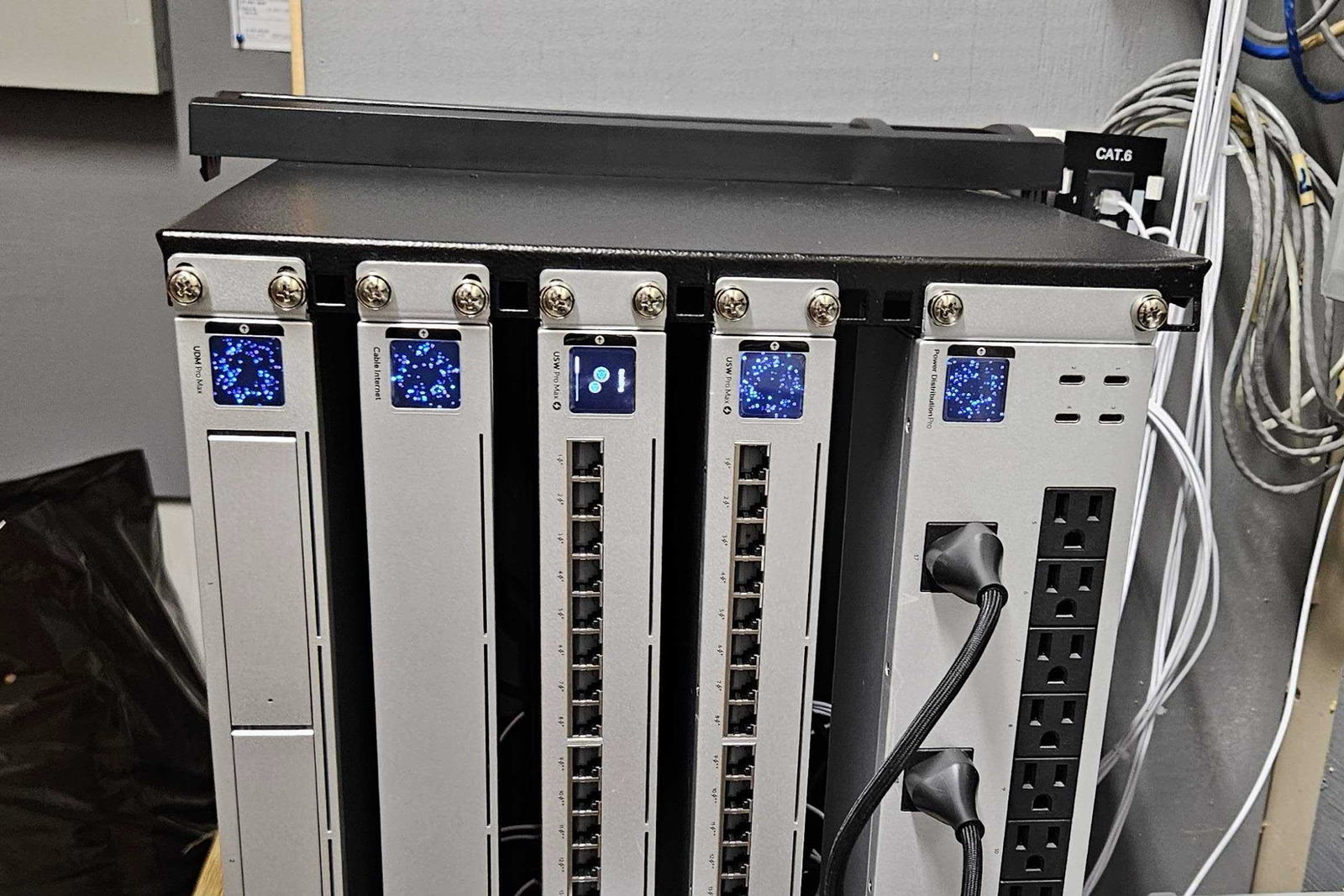

What happens when you bring a drive in?
No part of this is a surprise, and no part of it starts without you agreeing to it. Here is the sequence, in order, with the money question answered honestly rather than skipped.
- The first call is free and there is no obligation. Tell us what happened and what you heard. Some of this gets sorted on the phone, and where it does, we will say so.
- You bring in the device it lives in. A laptop, a desktop, an external drive, a card, or a server. Bring its power supply and its enclosure too, because both matter.
- We look at it and tell you which situation it is. Mechanical or logical, sealed or needing a cleanroom, and what that means for what comes back.
- You hear the price before anything starts. That is how the rest of the business already works, and it is how this works. If the job turns into a different job partway through, that is a phone call to you, not a bigger invoice at the end.
- Nothing proceeds until you say yes. You can take the device home unopened at that point, and that is a perfectly reasonable thing to do.
Is the evaluation free, and what does data recovery cost?
You are entitled to a straight answer to this before you drive anywhere, so here is one, including the parts we cannot answer.
- The phone call is free. Talking it through, and working out what the job actually is, costs you nothing and carries no obligation.
- Looking at a machine in the store is not the same thing. Our published home rate card carries an in store diagnostic fee, and it is the only charge on that card you can pay without anything being repaired. We would rather tell you that here than let you meet it at the counter.
- Whether that fee applies to a recovery job, and whether it comes off the work if you go ahead, is not published anywhere. So ask us when you drop it off, and we will tell you before we take it in.
- We do not publish a no recovery, no fee policy. If that matters to your decision, ask directly rather than assume one, and you will get a straight answer about your job before anything starts.
- Recovery work starts at $199. That is the floor, not the bill, and you get the real number in writing before any work starts.
- Not sure whether it is a repair or a recovery? Read what computer repair costs in Syracuse for the repair side and the rule we use for repair versus replace.
- The rest of the rate cards live on the pricing pages. Home and household work is on our home computer pricing. Business and per seat work is on our managed IT pricing. Both are published rates rather than ranges assembled for a sales page.
- What moves the cost is the failure, not the file. A logical recovery from a healthy drive and a mechanical recovery from a drive that has to be opened are different pieces of work, and we tell you which one you are looking at before you commit to anything.
If a shop gives you a firm recovery price over the phone without seeing the drive, be careful. Until somebody has looked, the honest answer is a range and a clear description of what decides where in that range you land.
Over 21 years, one company, one address.
Data recovery is a trade where the person on the other side of the counter matters more than the marketing. You are handing over the only copy of something. It is worth knowing who you are handing it to.
- Over 21 years, under one legal entity. Express Computer Service L.L.C. was filed on 13 May 2005 and trades today as Express IT Solutions. Same company, same owner, same address.
- Independently run. Express IT Solutions is owned and run from Fayetteville. There is no chain, no franchise agreement, and no head office in another state deciding how your job gets handled.
- A real office you can stand in. 511 East Genesee St, Suite 8A, Fayetteville, NY 13066, which is where the work is quoted and where you collect.
- On site across all of Upstate New York. Worked from that one Fayetteville office. If you run more than one location, we cover every one of them, including the ones we reach by air, with travel planned and agreed in advance.
- We tell you what we do not know. This page marks the unpublished parts as unpublished instead of filling them with a comfortable guess. Expect the same on the phone.
How do you make sure this never happens again?
Most of the data loss we see was preventable, and the fix is not expensive. Once your files are back, these seven things are what stop the next one.
- Keep three copies of anything that matters. The working copy, a local backup, and one that is not in the building.
- Do not count a sync folder as a backup. If you delete a file or ransomware encrypts it, the sync obediently copies that everywhere within seconds.
- Test a restore, do not test a backup. A backup that reports success every night and cannot restore a folder is worth nothing, and you find out on the worst day.
- Keep one backup offline or immutable. Anything reachable from an infected machine can be encrypted from that machine.
- Replace drives on age, not on symptoms. Waiting for a warning sign is how a planned swap becomes a recovery job.
- Turn on encryption, then store the recovery key somewhere else. Encryption is worth having and it is unforgiving. Print the key or keep it in a password manager.
- Watch the array, not just the server. A RAID that lost a disk months ago and never told anybody is the most common way a business loses everything at once.
If you would rather this was somebody else’s job to watch, that is what managed IT is for: monitored backups, tested restores, and drives replaced before they fail.
What people ask when they call about a lost drive
Can you recover data from a clicking hard drive?
Clicking means the failure is mechanical, inside the sealed part of the drive, and it is the situation where what you do next matters most. Switch the machine off now and leave it off, because every further spin up can turn a recoverable drive into a permanently damaged one. Then call us at (315) 682-6372 and we will tell you what class of job it is before you commit to anything.
Should I run recovery software myself?
Not on a drive that is making a noise, and not on the only copy you have. The software itself is not usually the problem. The problem is that it needs the failing drive powered on for hours while it scans, and that a download or an install can land on top of the very files you are trying to save. If the drive is silent and healthy and you have another copy, the risk is lower. If it is neither, stop and call first.
Is the evaluation free?
The phone call is free and there is no obligation. Looking at a machine in the store is a different thing: our published home rate card carries an in store diagnostic fee, and it is the only charge on that card you can pay without anything being repaired. Whether that fee applies to a recovery job, and whether it comes off the work if you go ahead, is not published anywhere, so ask us when you drop it off and we will tell you before we take it in.
How much does data recovery cost?
It depends on the failure rather than on how many files you want back. A logical recovery from a drive that still works is a different piece of work from a mechanical recovery on a drive that has to be opened, and the honest answer to the cost question comes after somebody has looked at it, not before. Prices for our other work are published rather than quoted: home and household work is on our home computer pricing page, and business per seat work is on our managed IT pricing page.
Do you guarantee you will get my data back?
No, and nobody honest does. Some situations go well almost every time, some are a coin toss, and some are finished before anyone opens the box, which is why this page publishes the whole table rather than only the good rows. What you get from us is a clear reading of which of those you are in, given before you spend anything, and nothing proceeds until you agree to it.
Do you work on business servers, NAS boxes and RAID arrays?
Tell us on the first call that it is an array rather than a single disk, because it changes what you should do in the meantime. Do not force a rebuild and do not reorder the disks. Label the current order, leave it alone, and call. We support business systems across all of Upstate New York from our office in Fayetteville, and clients who run more than one office are covered at every location.
Where do I bring it, and do you come to me?
Our office is at 511 East Genesee St, Suite 8A, Fayetteville, NY 13066, open Monday to Friday, 9 to 6, a short drive from Syracuse, Manlius, DeWitt and Chittenango. We also work on site across all of Upstate New York from both our offices, so if the machine cannot travel, or it is a server that should not be unplugged and carried, say so on the call and we will sort out how it gets looked at.
TELL US WHAT HAPPENED
Describe it in your own words.
What you were doing, what you heard, and what has been tried since. That is enough for us to tell you what we would do about it.
- It goes to our office in Fayetteville, not a call centre.
- You hear what we think before anything is opened.
- If it is not worth doing, we will tell you that too.
If the drive is making a noise, call instead
A form waits for someone to read it. A failing drive does not wait for anything, so if yours is clicking or grinding, switch it off and call. That is faster and it costs you less data.
The form is the better route if the drive is already off and silent, or you would rather write it down than say it out loud.
(315) 682-6372Leave it switched off, and call us.
One phone call, free and with no obligation, and you will know what class of problem you have and what happens next. That is worth more than another attempt at powering it on.
Free first call. We will tell you straight if the answer is that it is not worth doing.
Express IT Solutions · Computer service in Central New York since 2005 · Last updated August 15, 2026