Computer sales in Syracuse and Central New York.
Laptops, desktops, workstations and servers, sold out of a real store with real machines on the floor. We spec it with you, build and test it here, move your data onto it, and then support it afterwards, because the firm that sold it to you is the firm that answers the phone. We have been doing it for 21 years, from one office in Fayetteville. Call (315) 682-6372. Every town we cover is on the service areas page, with the distance from our door to each.
Or read why buying it locally changes what happens next.
Express IT Solutions sells laptops, desktops, workstations and servers from a store at 511 East Genesee St in Fayetteville, New York, and has done since 2005. Machines are specced with you, built and tested on our own bench, then handed over set up with your data already moved across. The firm that sold you the machine is the firm that supports it afterwards, on site across Upstate New York. Call (315) 682-6372.
What do you actually sell, and who is it for?
Six categories cover almost everything that leaves the store. Find the one that matches what you are trying to do, because the right question is never which machine is best, it is which machine is right for the work you are putting on it.
Laptops and 2 in 1s
Named brand laptops and Surface tablets for people who work in more than one place. The battery, the weight and the screen matter more than the headline processor on almost every one of these.
Desktops and all in ones
Office desktops and tidy all in one machines for a front desk or a reception counter. These are the machines people keep for years, so the sensible money goes into memory and the drive rather than the badge. Both cost more this year; read what RAM prices mean for computer prices this holiday season.
Custom built desktops
Built here, part by part, in front of you if you want to watch. Glass side panels, proper cooling and components you chose rather than a sealed box with a sticker on it. Gaming machines and quiet office builds both come off the same bench.
Workstations
For CAD, video, large spreadsheets and anything that makes an ordinary office machine sit and think. The bottleneck is rarely where people expect it, which is the whole reason to have the conversation before you buy.
Servers, NAS and storage
Small business servers and network storage, specced around what the business actually runs rather than around a shelf price. This is the category where buying the wrong thing is most expensive, and the hardest to undo later.
Monitors, docks and the rest of the desk
Screens, docking stations, keyboards, cabling and the small parts that decide whether a good machine feels good to use. Bought at the same time, they arrive matched to the machine rather than guessed at online.
Why buy from a local firm instead of a big box store or an online order?
Big box stores and online retailers are genuinely good at some of this, and pretending otherwise would waste your time. What follows is the whole comparison rather than the flattering half of it, so you can see exactly where each one wins.
| What happens | Bought from us | Big box store | Online order |
|---|---|---|---|
| Who works out the specification | Someone who asks what it is for | Whoever is on the floor that day | You do, from a filter list |
| Getting it the same day | Sometimes, ask us | Usually, on common models | No |
| Choice of exact components | Yes, on a custom build | Whatever is boxed on the shelf | Fixed configurations only |
| Setup and moving your old data | Included with the machine | A paid add on, if offered | You do it |
| Where it goes when it stops working | Back to the counter you bought it at | A service desk, often shipped out | In a box, to a depot |
| Who you speak to about it | The people who built it | A different member of staff | A queue and a ticket number |
| Business grade and server options | Yes, specced to the business | Rarely, mostly consumer stock | Yes, if you already know what to pick |
| Someone who knows your other kit | Yes, if we already support you | No | No |
| Cheapest possible headline figure | Not always us, and we will say so | On loss leader models | Frequently |
Two of those rows go against us on purpose. If the only thing that matters on this purchase is the lowest number on a screen, an online order will sometimes win, and you should take it. The rows worth weighing are the ones about what happens in year two.
What is the difference between a consumer laptop and a business one?
Consumer machines are built to hit a price on a shelf, and the savings come out of the parts you cannot see: the hinge, the chassis, the keyboard and the drive. Business machines cost more for the same headline specification and last longer under daily use, because they are built to be opened, serviced and kept. For a machine somebody uses forty hours a week, that gap decides how the third year goes.
| Where the money goes | Consumer machine | Business machine |
|---|---|---|
| Chassis and hinges | Lightest acceptable build | Built to survive a bag |
| Serviceability | Often glued or sealed | Memory and drive reachable |
| Warranty options | Return to base, ship it away | On site options usually exist |
| Preinstalled extras | Trial software you remove | Usually a clean install |
| Same parts next year | Model changes constantly | Stable lines you can match |
None of this makes a consumer machine a bad buy. For a household laptop used a few hours a week it is often exactly the right call, and we will tell you when it is rather than talk you up a tier.
Should you buy a prebuilt machine or have one built for you?
A prebuilt is quicker and simpler, and for most office work it is the right answer. A custom build earns its place when one specific thing has to be right: a graphics card for CAD or video, quiet running for a shared room, a particular drive layout, or a case you can still get into in three years. The wrong reason to build is because the parts list looks impressive.
| What you are choosing | Prebuilt | Built for you |
|---|---|---|
| How soon you get it | Sooner | After the parts land |
| Every component chosen | No | Yes |
| Upgrading it later | Sometimes limited | Planned in from the start |
| One warranty or several | One, from the maker | Per part, we handle it |
| Best for | Office and household use | CAD, video, gaming, odd shaped jobs |
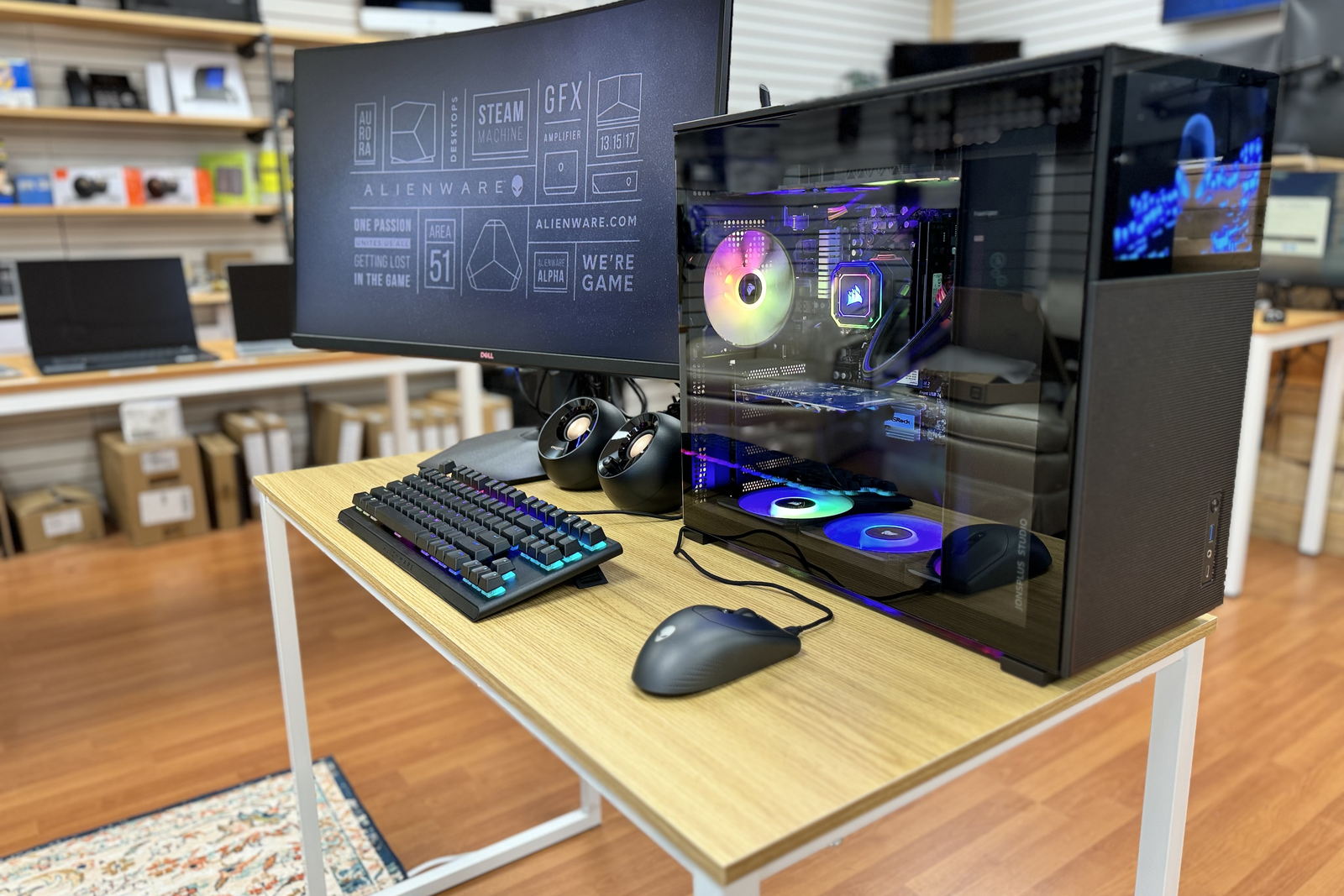
The custom machine in the photograph above was built on our bench. If that is the route you want, come and look at a finished one before you commit to the idea rather than after.
When does a business actually need a server rather than another desktop?
When more than a handful of people need the same files, when something has to run whether or not a particular person is at their desk, or when a line of business application asks for one. Plenty of small businesses do not need one and are better served by network storage and a good backup. The honest answer depends on what you run, so it is a conversation rather than a product page.
- Probably not yet. A few people, files shared through a cloud service, nothing running around the clock. Network storage and a tested backup usually cover it for less money and less to go wrong.
- Probably yes. Shared line of business software, a database several people write to, or something that has to stay running when the office is empty.
- Ask before you buy either one. This is the purchase we most often see made twice, because the first one was bought on specification instead of on what the business runs. Managed IT is where that gets planned properly.
How is buying for a business different from buying for home?
The machine matters less than everything around it. A household buys one computer and wants it to feel fast. A business buys a machine that has to join a domain or a tenant, carry the right licence, hold data somebody else is responsible for, and be replaceable with a matching unit next year. That is why the two buying routes on this page end up in different places.
| What decides the purchase | Buying for home | Buying for a business |
|---|---|---|
| Who the machine answers to | The person using it | A tenant, a domain, a policy |
| Licensing | Home edition is fine | Pro or business licensing needed |
| Buying two years later | Buy whatever is current | Match the fleet if you can |
| When it breaks | An inconvenience | Somebody cannot work |
| Where the pricing lives | Home rate card | Managed IT rate card |
If you are buying for a business and you already have a fleet, tell us what is in it on the first call. Matching what you run is usually worth more than any single feature on the new machine.
How does buying a computer here actually work?
Seven steps, in order, and you can stop at any one of them. Nothing is ordered, built or charged for until you have agreed to it in plain language.
- Tell us what the machine is for. Not what specification you think you need. What the work is, what software runs on it, and how long you want to keep it.
- We spec it and explain the choices. Including where spending more is wasted on your particular job, which is usually at least one line on the list.
- You get the figure before anything is ordered. Hardware is quoted to the specification, so you see the number for your machine rather than a range from a page.
- You say yes, or you do not. There is no obligation at this point and no charge for having got this far.
- It is built and tested on our bench. Custom builds go together here. Prebuilt machines are still opened, checked and updated before they go out.
- Setup and data transfer. Your files, your profiles, your printers and your email, moved across so you are working the day you get it rather than the week after.
- Delivery, or on site setup. Collect it from Fayetteville, or we bring it and set it up where it is going to live, on site across Upstate New York.
What is the warranty, and what happens when a machine fails?
This is the question worth asking before you buy rather than after, so here is a straight answer including the parts that vary from machine to machine.
- Every machine we sell comes with a warranty. On a brand name laptop, desktop or server that is the manufacturer warranty for that model. On a machine we built, it is the warranty carried by the parts inside it.
- The length and the type vary by machine, so ask about yours. Some models carry return to base cover, some carry on site cover, and some can be extended at the time of purchase. We tell you which one applies to the machine you are actually buying, before you buy it, rather than leaving you to read it off a box.
- You bring it back to the counter you bought it at. That is the practical difference from an online order. It goes to a person in Fayetteville rather than into a carton and a courier network.
- On a custom build we deal with the part supplier, not you. A build has several warranties inside it, one per component, and chasing those is our job rather than yours.
- Out of warranty is still a repair, not a write off. A machine that has aged out of cover can usually still be fixed, and we will tell you honestly when it is not worth the money.
- Repair labour is on the published rate cards, not on this page. Household work is on our home computer pricing. Business and per seat work is on our managed IT pricing. Both are published rates rather than ranges assembled for a sales page.
- A warranty covers the hardware, never the data on it. Every warranty in this business replaces parts. None of them gives you your files back, which is why a backup is part of the handover conversation and not an upsell after the fact.
If a drive has already failed and the files matter, that is a different job and there is a page for it: data recovery. Switch the machine off before you do anything else.
Over 21 years, one company, one address.
Anybody can list hardware on a page. What decides whether buying it locally was worth anything is whether the same firm is still there, and still answering, when the machine needs something.
- Over 21 years, under one legal entity. Express Computer Service L.L.C. was filed on 13 May 2005 and trades today as Express IT Solutions. Same company, same owner, same address.
- Independently run. Express IT Solutions is owned and run from Fayetteville. There is no chain, no franchise agreement, and no head office in another state setting what gets pushed across the counter this month.
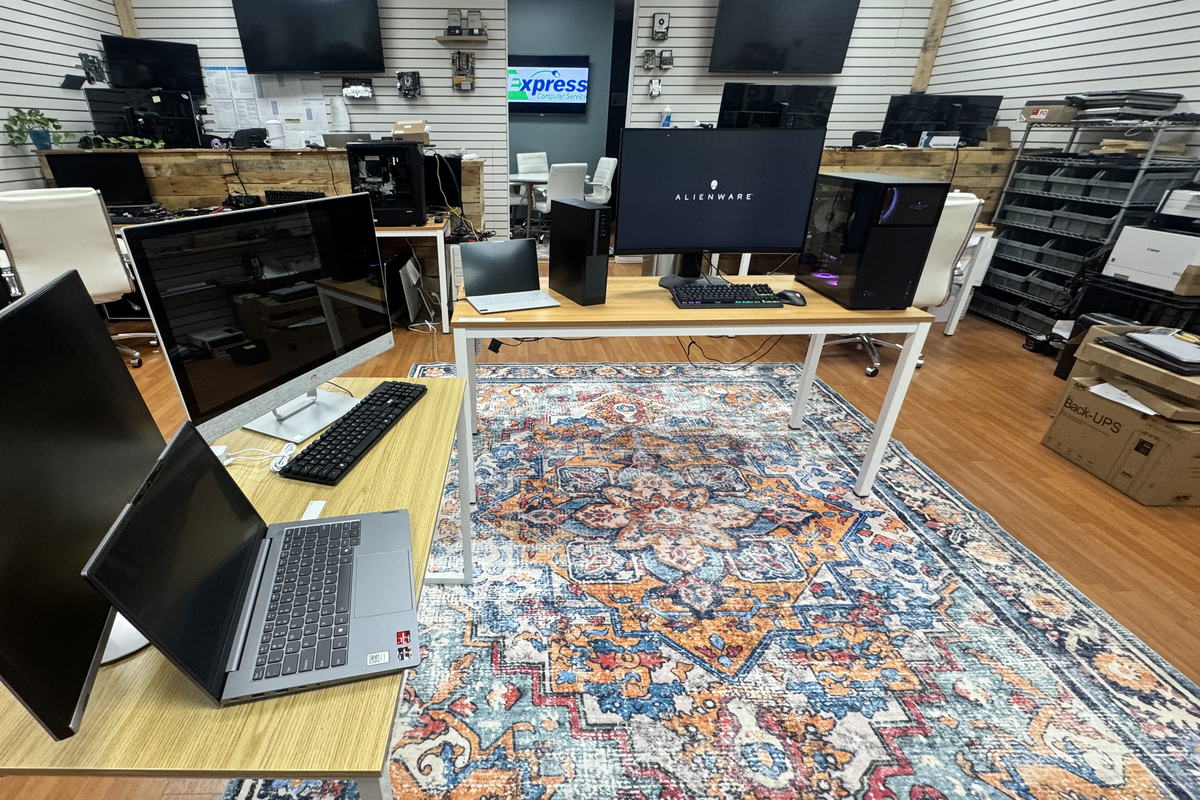
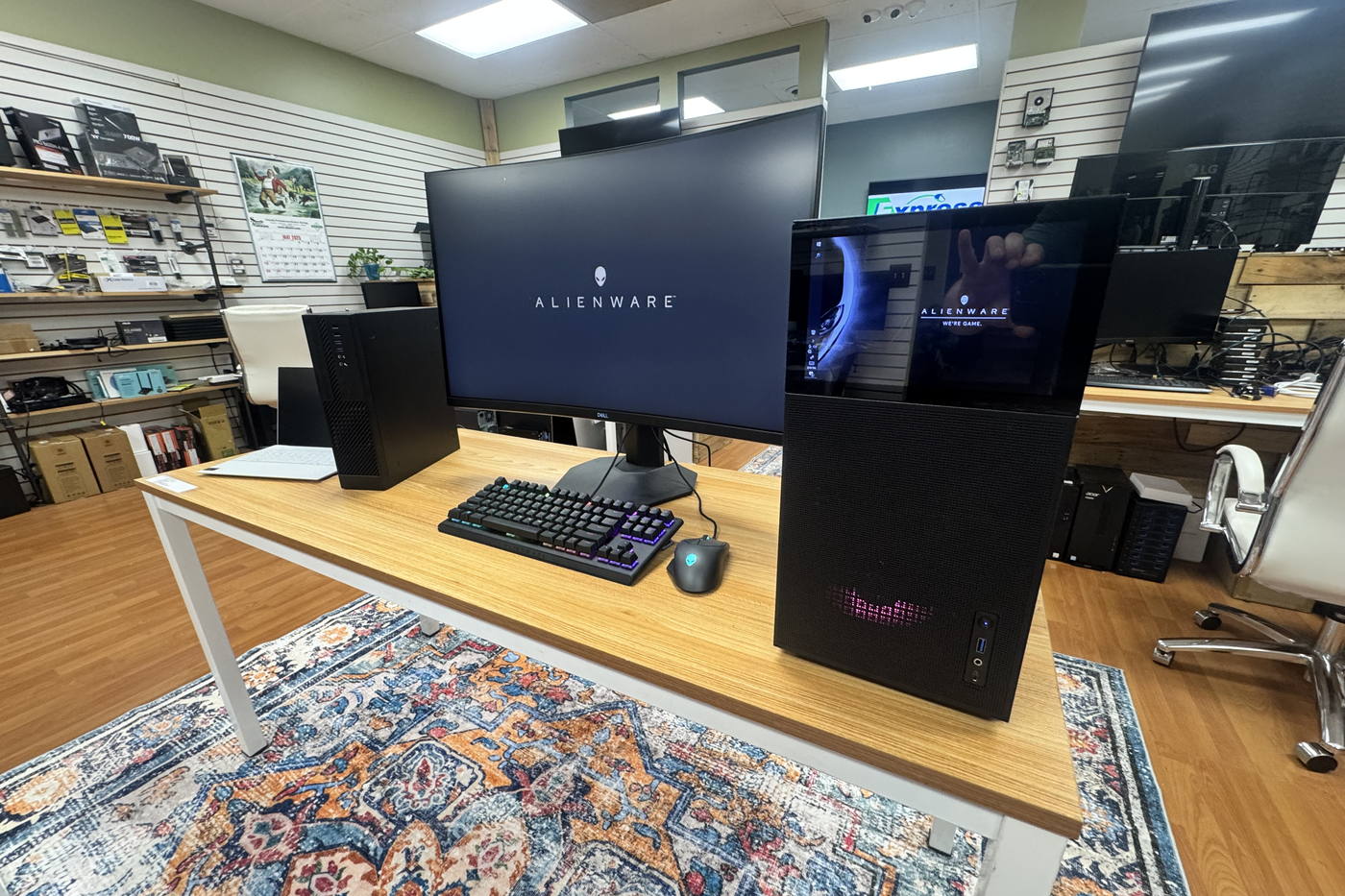
- A real store you can stand in. 511 East Genesee St, Suite 8A, Fayetteville, NY 13066, with machines on the floor. The photographs on this page were taken in it.
- On site across all of Upstate New York. Worked from that one Fayetteville office. If you run more than one location, we cover every one of them, including the ones we reach by air, with travel planned and agreed in advance.
- We tell you when we are not the right answer. If the machine you want is a shelf model sold cheaper somewhere else and you do not need anything around it, you will hear that from us.
What should you ask before buying any computer?
Ask these of us, and ask them of anybody else you are considering. Nine questions, none of them clever, and the answers tell you more than a specification sheet does.
- How much memory, and can it be added later? Memory is the single most common reason a machine feels slow, and on many thin laptops it is soldered down and can never be changed.
- Is the drive solid state, and how big is it? A mechanical hard disk in a new machine in 2026 is the fastest way to be disappointed by it. Ask what it is, not just how many gigabytes.
- What is the warranty, how long is it, and is it on site or return to base? Two machines at the same figure can differ entirely here, and you find out in the worst week.
- Who moves my data across, and is that included? Files, profiles, printers, saved passwords and email. If nobody has said, assume it is you at the weekend.
- What licence is on it, and is it the right one for a business? A Home edition machine cannot join a domain, and finding that out on day one is an avoidable morning.
- Can I get a matching one in a year? If you are buying for a business, a model line that still exists next year is worth real money in support time.
- What happens to my old machine? Wiped, recycled, kept as a spare, or handed back. Decide before it is sitting in a cupboard with your data still on it.
- Will it run the specific software I actually use? Not software in general. The named application, in the version your work uses, on the operating system it is shipping with.
- Who do I call when it goes wrong, and will they know anything about me? This is the question the whole page is about, and it is the one that never appears on a specification sheet.
If you want to work through that list with somebody rather than alone, that is exactly what the first call is for, and it costs nothing. Call (315) 682-6372 or send the details.
Real machines, on a real floor, in Fayetteville.
Every photograph on this page was taken in our own store. Nobody is pretending a stock library picture is a showroom, and the machines in shot are machines that stood on those tables.
- Put your hands on the keyboard before you buy it. Half of how a laptop feels is the keyboard and the screen, and neither of those survives a photograph.
- See a custom build finished rather than described. Cases, cooling and glass panels are much easier to choose in person than from a parts list.
- Bring the software with you if you can. If a specific application is the whole reason for the purchase, we would rather see it run than take a guess at it.
- We are a short drive from Syracuse, Manlius, Dewitt and Chittenango. 511 East Genesee St, Suite 8A, Fayetteville, NY 13066.
What people ask before they buy a computer from us
Do you sell computers, or only repair them?
Both, and they are the same business rather than two. We sell laptops, desktops, workstations, servers and network storage from our store at 511 East Genesee St in Fayetteville, and we have been selling and supporting computers in Central New York since 2005. The machine you buy here is supported here afterwards, by the same people, at the same counter.
Can you build a custom computer to my specification?
Yes. Custom desktops are built on our own bench, part by part, and you choose the components rather than accept whatever came sealed in a box. Cases with glass side panels, liquid cooling, quiet builds for a shared office, and machines specced around one particular application are all normal work. Come and look at a finished build in the store before you commit to the idea.
Do you sell to businesses as well as households?
Yes, and the two purchases are genuinely different. A business machine has to carry the right licence, join whatever the business already runs, and ideally match a fleet you can still buy into next year. A household machine has to feel good to use. Tell us which one you are on the first call and the conversation goes to the right place immediately.
Will you move my files from my old computer onto the new one?
Yes, that is part of buying the machine from us rather than an extra afterwards. Files, user profiles, printers, saved passwords and email get moved across so the machine is usable the day you get it. Bring the old machine in with the new one, and tell us if anything unusual lives on it, because that is the part people forget until it is gone.
What warranty comes with a computer bought from you?
Every machine we sell comes with a warranty. On a brand name laptop, desktop or server it is the manufacturer warranty for that model, and the length and the type vary by machine, so we tell you which one applies to yours before you buy it. On a machine we built, the parts inside carry their own warranties and dealing with the suppliers is our job rather than yours.
Is it not cheaper to just order a computer online?
Sometimes it is, on the headline figure, and if that is the only thing that matters on this purchase you should take it. What an online order does not include is somebody working out whether that model suits the job, the setup, the data transfer, and a counter to walk back into when it stops working. Those are the parts that cost you time rather than money.
Do you deliver the machine and set it up where it is going?
Yes. You can collect from Fayetteville, or we can bring the machine and set it up where it is going to live. We work on site across all of Upstate New York from that one office, and clients who run more than one location are covered at every one of them, with travel planned and agreed in advance.
TELL US WHAT IT IS FOR
Describe the job, not the specification.
What the machine has to do, what software runs on it, and how long you want to keep it. That is enough for us to come back with something sensible.
- It goes to our store in Fayetteville, not a call centre.
- You see the figure before anything is ordered.
- If you do not need a new machine, we will say so.
Would rather just talk it through
Choosing a machine is quicker out loud than in writing, because the useful questions are the ones that come back at you. If you have five minutes, call instead.
The form is the better route if you are buying for several people, or you want the specification in writing to circulate before anybody signs anything.
(315) 682-6372Come and see the machine first.
One conversation, free and with no obligation, and you will know whether the machine you had in mind is the right one, the wrong one, or more than you need. That is worth more than a filter list.
Free first call. We will tell you straight if the honest answer is that you do not need to buy anything yet.
Express IT Solutions · Computer sales and service in Central New York since 2005 · Last updated August 16, 2026